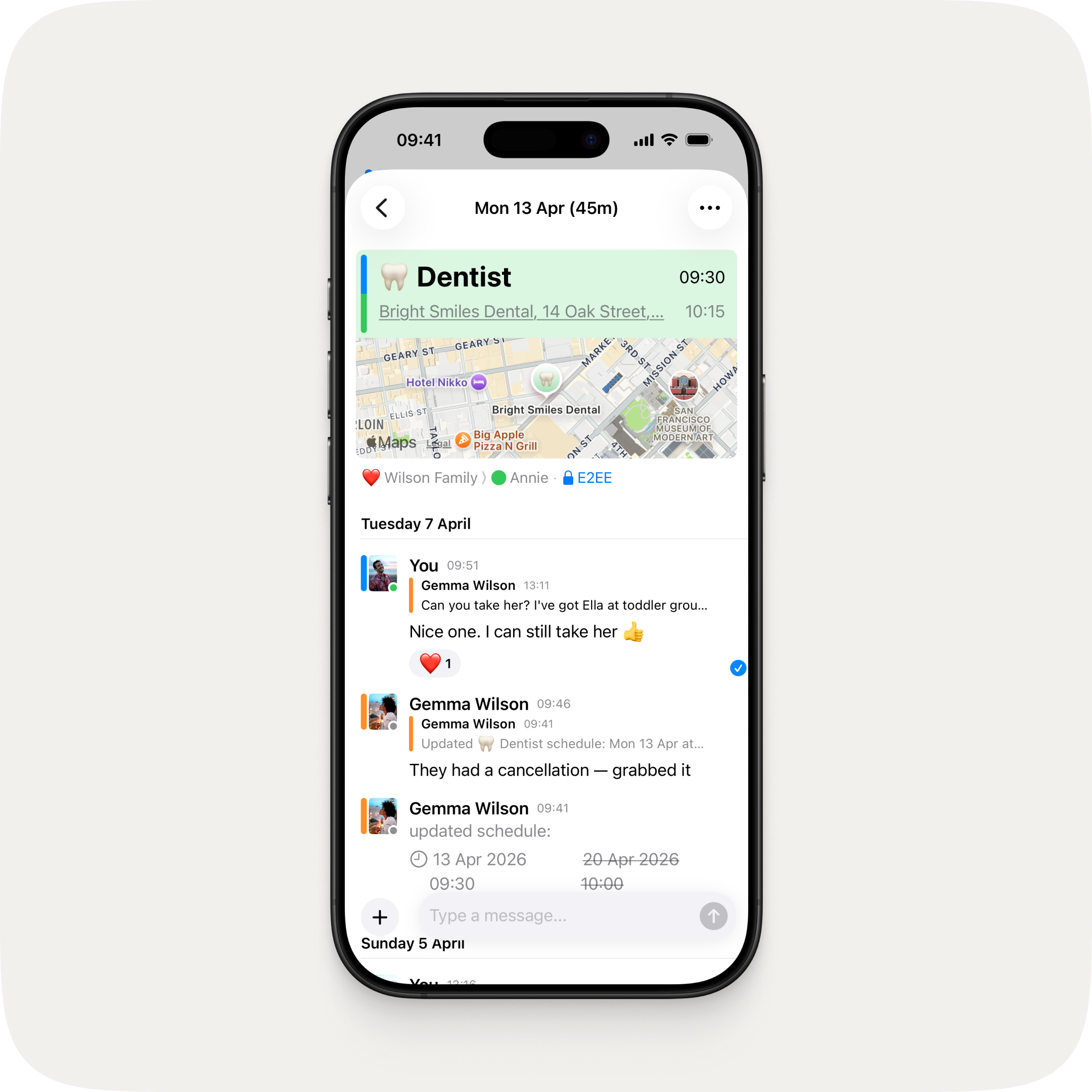
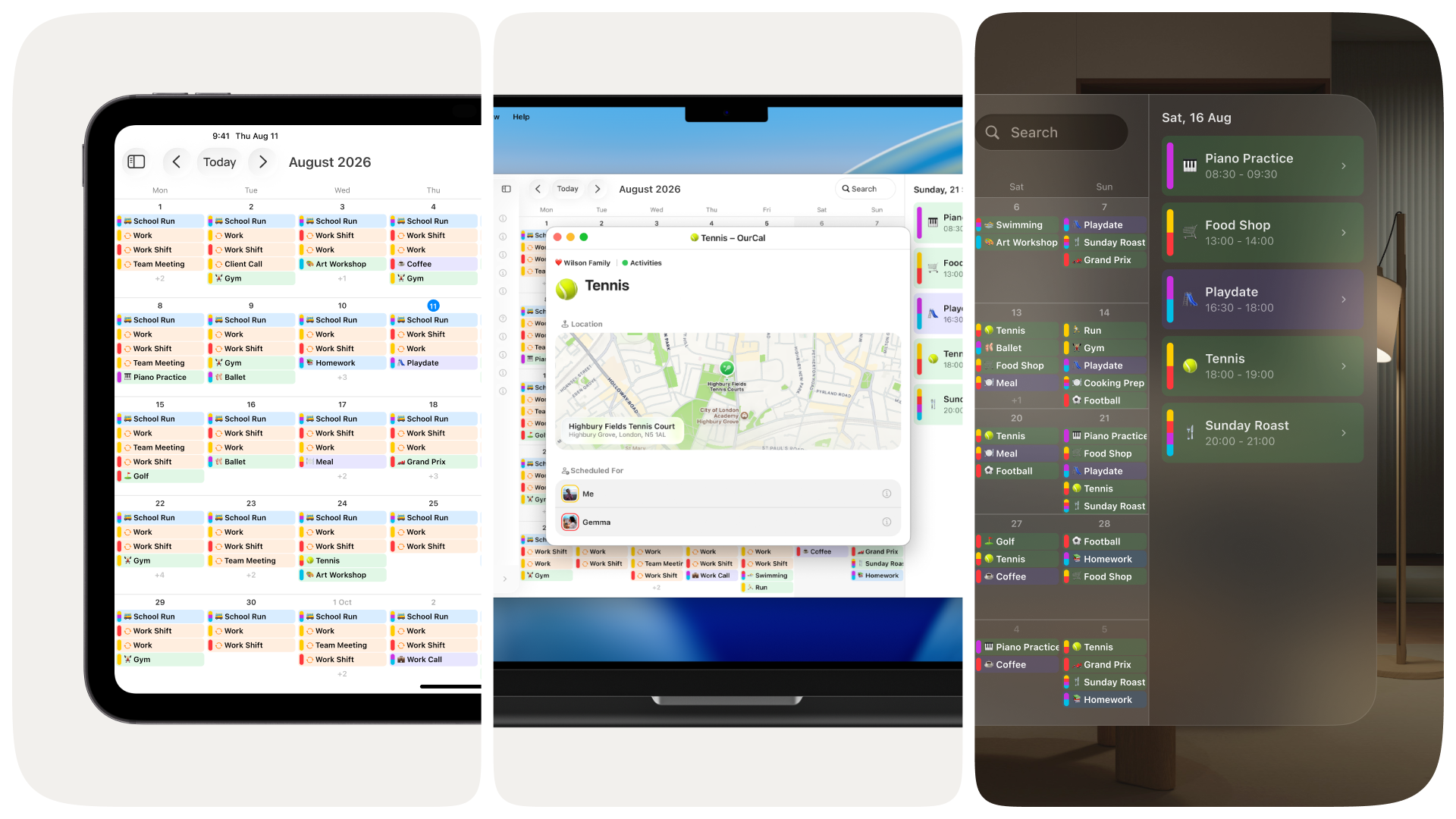
See where you're headed — rich map previews now in every event.
See where you're headed at a glance. Event locations now show a rich, detailed map preview right in the event screen — so you can check the spot without ever leaving OurCal.
Cancel events
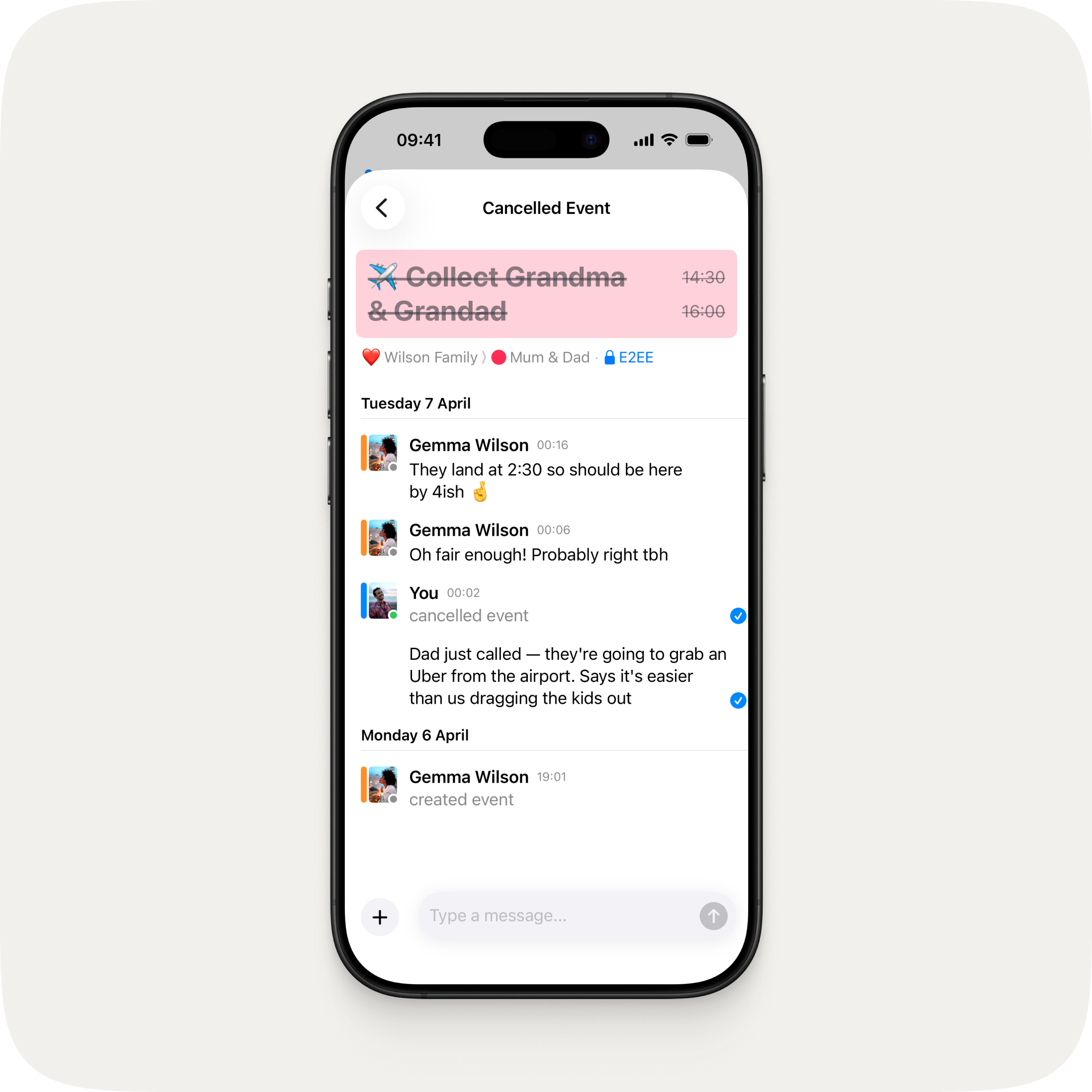
Delete is now Cancel — plans change, and now everyone stays in the loop.
Delete is now Cancel. When you cancel an event, it's clearly marked throughout the app with its title crossed out, and the chat thread stays put so everyone can see exactly which event was cancelled and keep the conversation going. Previously, deleted events just showed as "Deleted Event" with no way to tell what was actually removed.
Now on Android too
Android catches up with recent iOS, iPadOS, and macOS features:
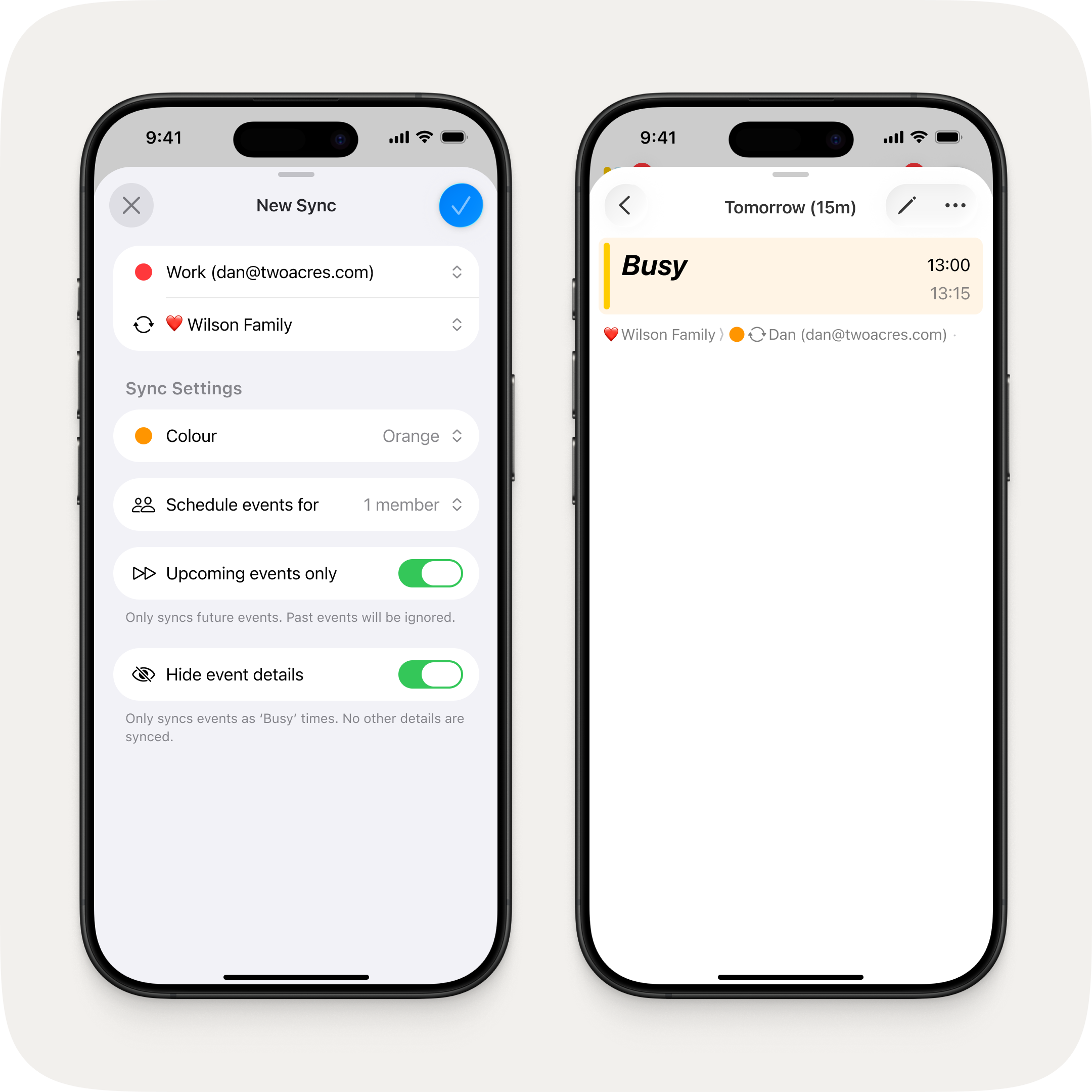
Sync your availability without sharing the details.
A new "Busy only" option lets you sync events as blocked time without sharing any other details. Perfect for when your group needs to see when you're free, but not what you're up to.
Edit messages
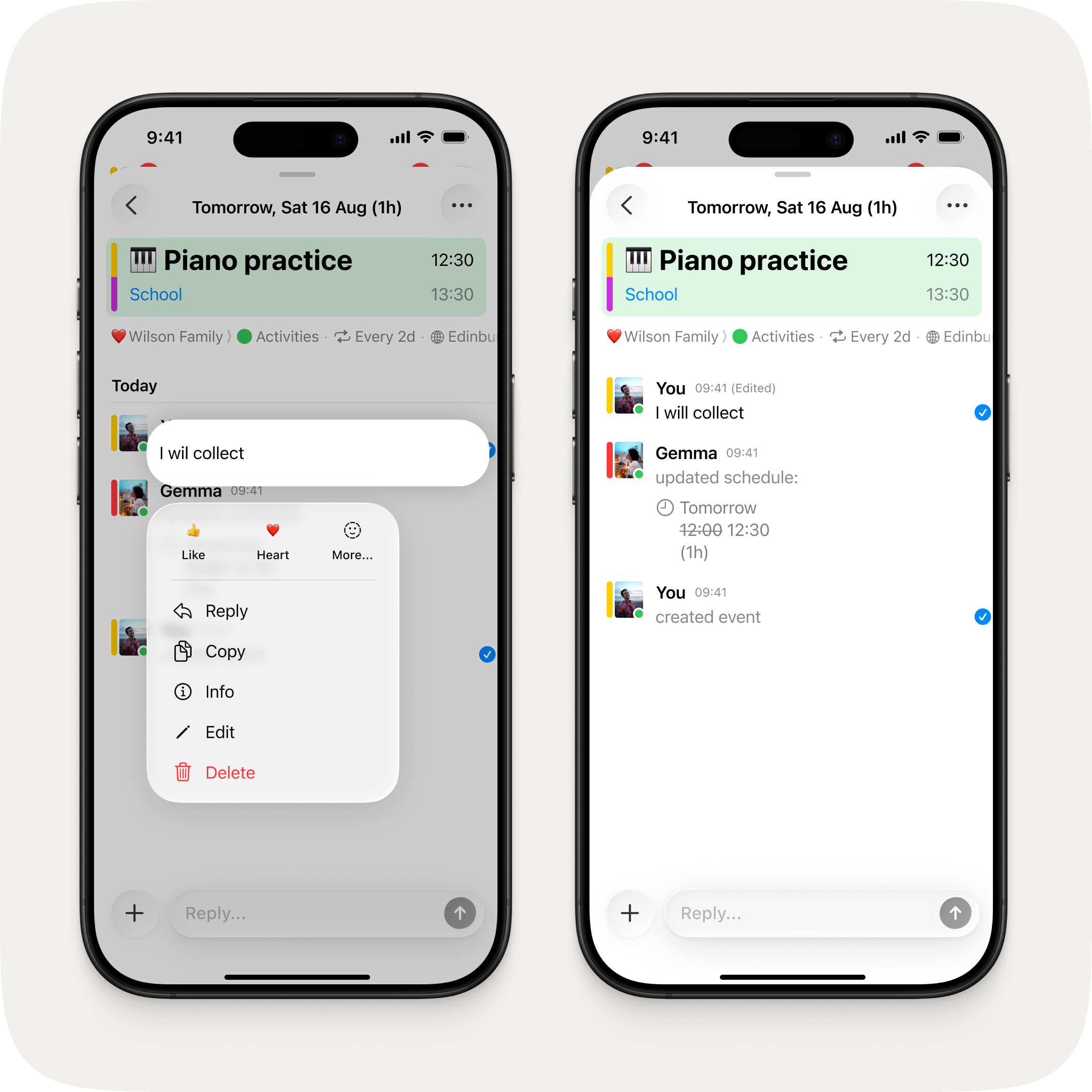
Long press to edit — your updated message shows an "Edited" label.
Changed your mind? Long press any message you've sent and tap edit to update it. Your group will see the updated message — no need to send a correction.
Fixes & Improvements
Synced calendars now default to their actual colour from your device instead of blue
You can now set a synced calendar's colour during setup
Synced calendars are now more clearly distinguished from regular calendars throughout the app
Links in messages now open in-app on tap
Reaction quick actions now show labels in the long press menu
You can only delete your own messages — other members' messages can no longer be removed by mistake
Group name and emoji changes now show as updates in the chat
Fixed deep linking to the same event sending a duplicate push notification
Fixed deep linking via widget doubling up the navigation stack
Fixed update notifications being cleared before you could open them
Fixed event creation messages marking the channel as unread for the sender
Fixed notifications showing incorrect relative dates for event alerts
Fixed online status not working on first sign-up until force restarting
Fixed editing a calendar colour created by another member causing it to duplicate
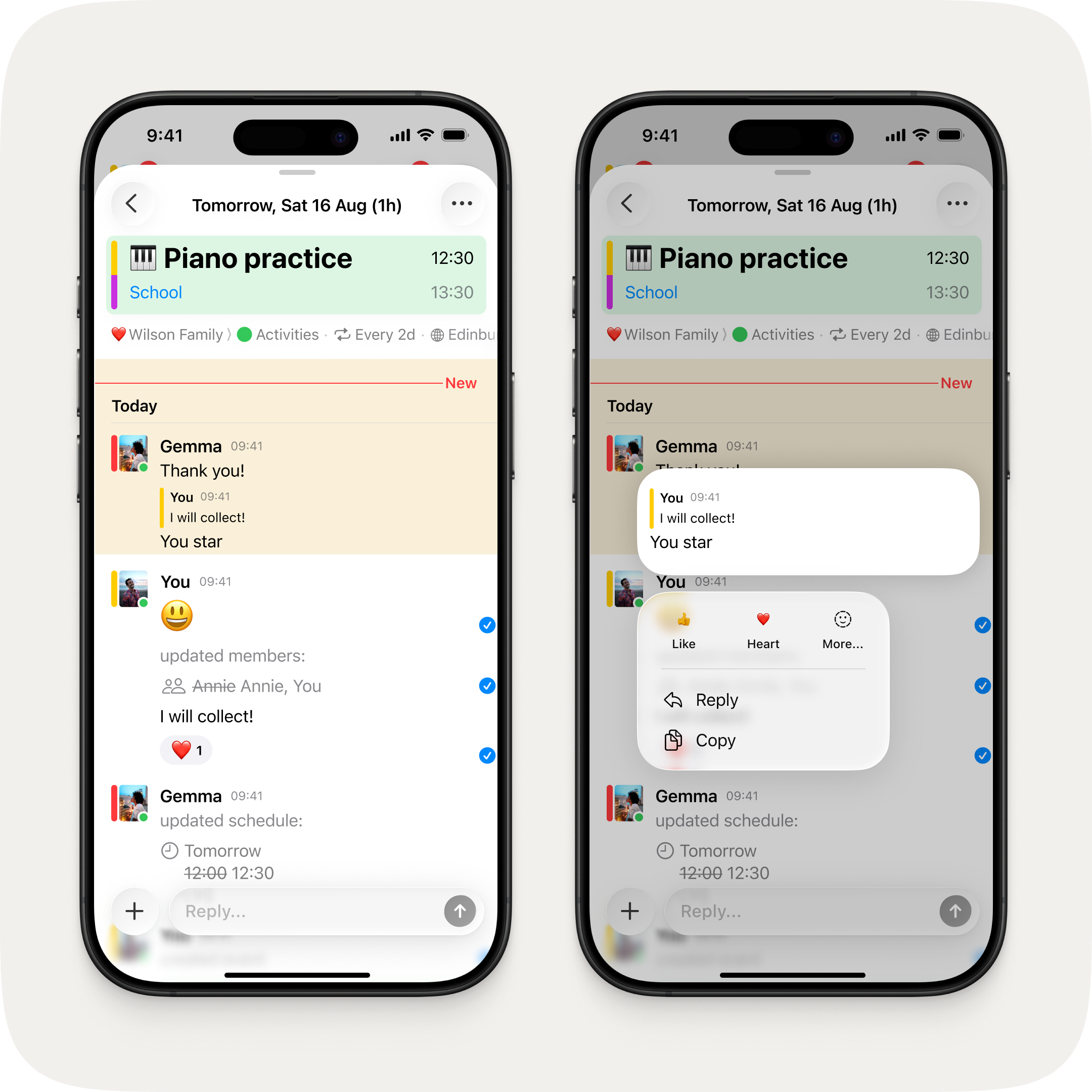
Reply in context — quote any message and keep the conversation on track.
Reply to any message in context. Long press a message and tap reply to quote it in your response — so everyone knows exactly what you're responding to.
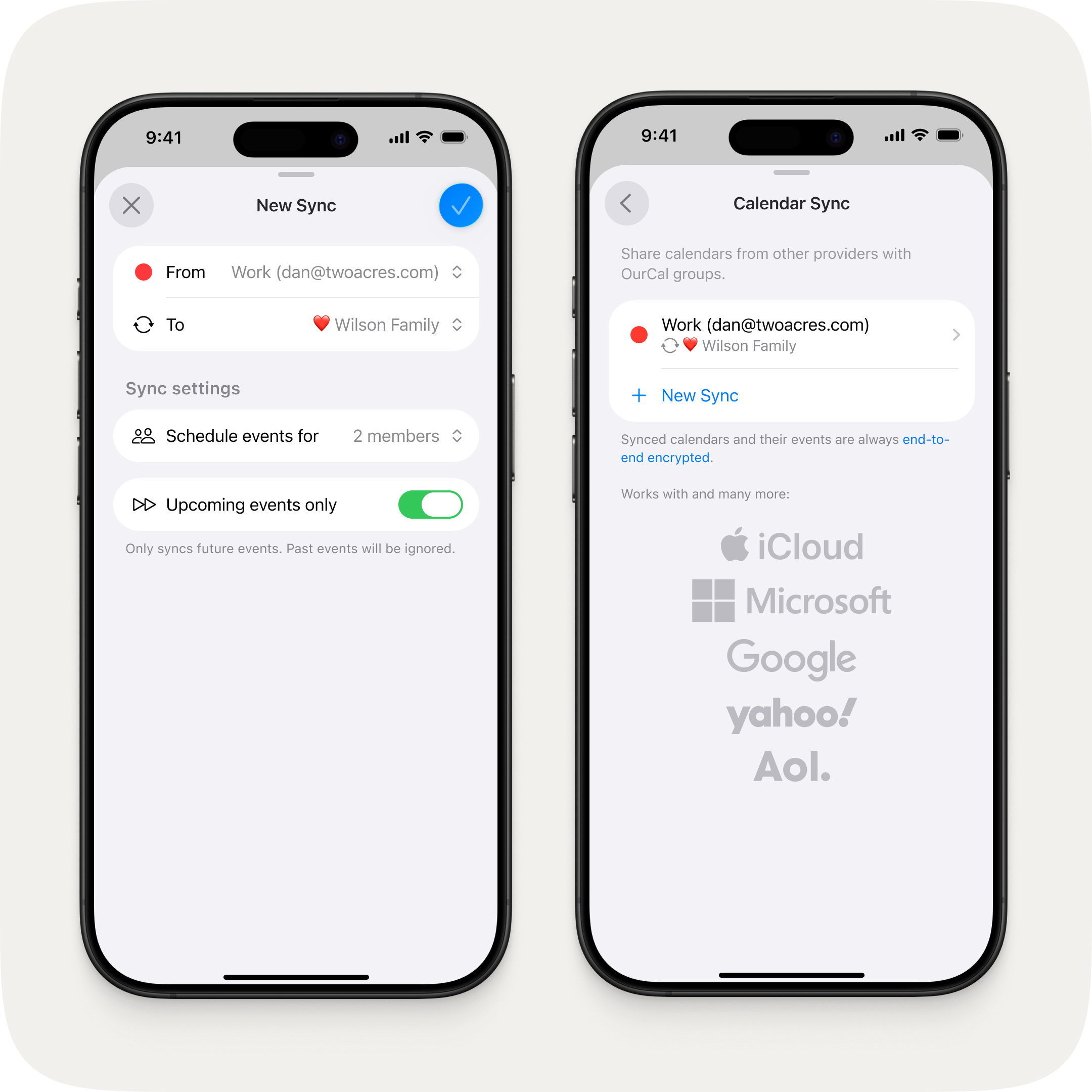
Redesigned calendar sync
A clearer sync setup — with a new option to sync only upcoming events.
A refreshed sync wizard that's clearer and easier to follow. New in this release: choose to sync only upcoming events, so your shared calendar stays focused on what's ahead.
Fixes & Improvements
Improved handling of setup interruptions — no longer shows a full re-setup on minor hiccups
"Get more space" now correctly shows an alert for non-billing members instead of redirecting to the App Store
You can now enter your own emoji in the autofill input to override the AI suggestion
Fixed emoji picker search returning no results when a trailing space was typed
Calendar sync set up on another device now displays correctly without requiring local calendar access
Invite links are now validated on-device before asking new users to sign up, so you'll see a clear message if a link is invalid or you're already in the group
Fixed an unnecessary password prompt appearing shortly after creating a new account
Fixed a recovery path if initial setup fails on first launch
Fixed being unable to react to your own event creation message
Fixed group chat notifications not arriving in certain navigation states
Fixed reactions not appearing until navigating away and back
Fixed issues with reaction push notifications
Fixed issues with the new calendar sync flow
Fixed group chat disappearing from Activity when all messages are deleted
Deleted messages from other users are now properly hidden instead of showing "This message was deleted"
Fixed an issue where lock screen widgets could open the wrong occurrence of a recurring event
Fixed the lock screen widget showing tomorrow's instance of repeating all-day events instead of today's
Text fields across settings screens now feature a beautifully animated floating label — what starts as a placeholder gracefully lifts into position as you type, so you always know which field you're in
Profile settings now accessible from the macOS sidebar
OurCal, now native on iOS, iPadOS, macOS, visionOS, and Android.
OurCal for Mac is here. Previously available as a beta, the Mac app is now on the Mac App Store for everyone, with refined lists, forms, and text fields throughout for a polished, native feel. That means OurCal now runs natively on iOS, iPadOS, macOS, visionOS, and Android — every screen your family uses.
Online activity status
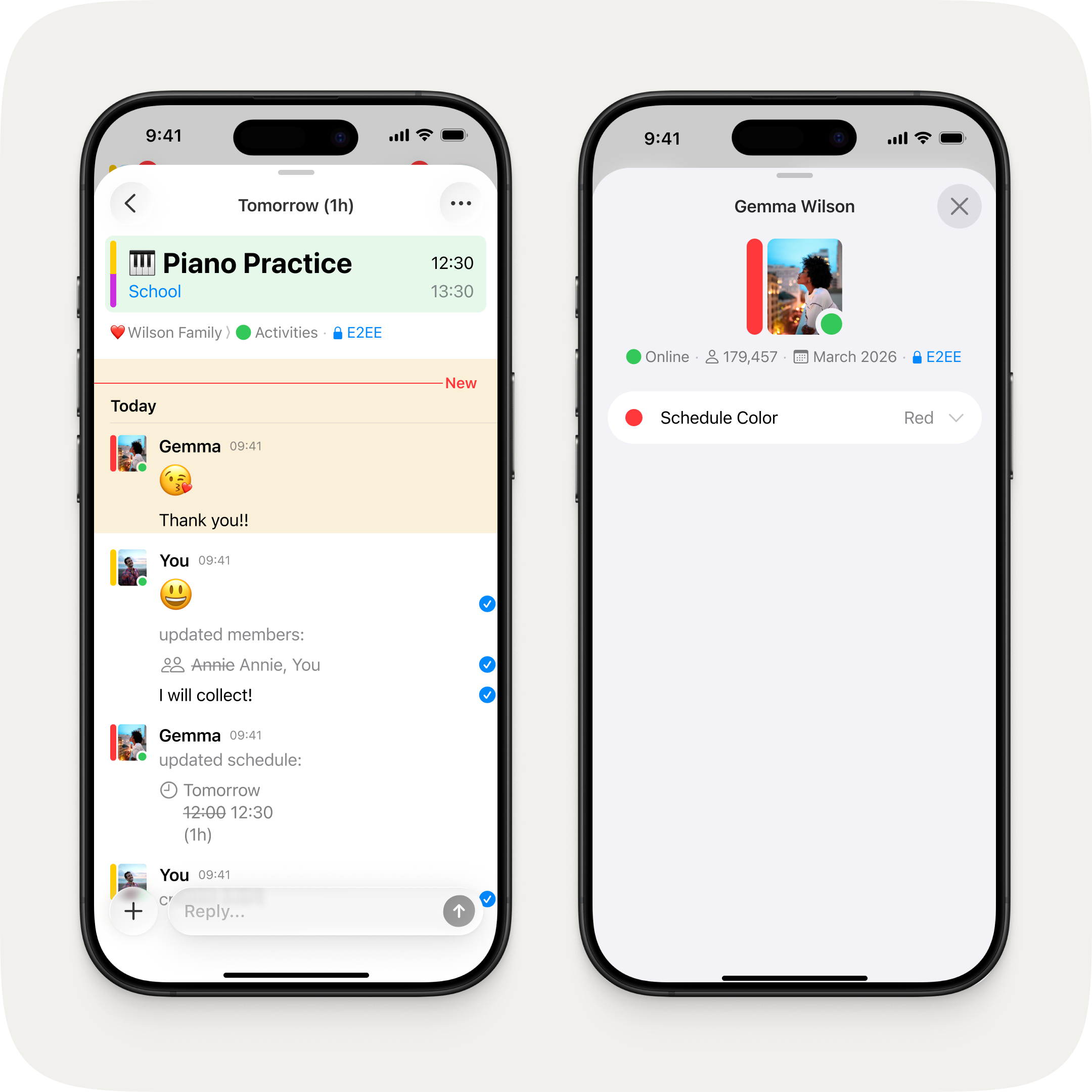
See who's online — and know your plans have landed.
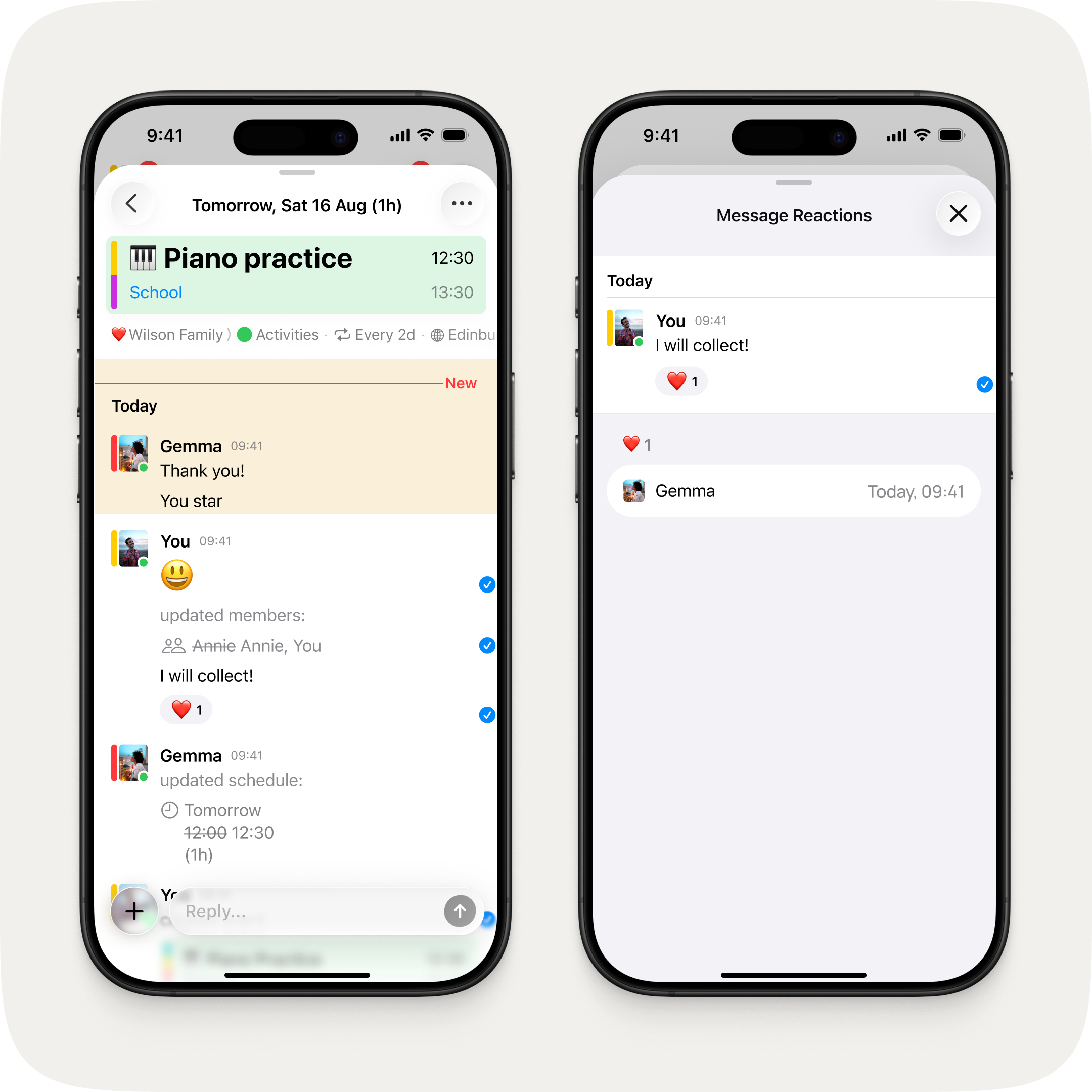
See who's online. Green presence dots now appear on avatars in chat, so you can tell at a glance who's active. Tap any avatar to view their profile and see "Online" or when they were last active. Together with Message Info — which shows when your messages were delivered and read by each member — you now have full visibility over whether your plans have landed.
Fixes
Fixed month-start rows collapsing to agenda pills earlier than other week rows in calendar overview mode.
Provider icons for Apple, Google, and email make it easier to pick how you sign in. If you try to log in with a provider you haven't signed up with yet, you can now continue straight to sign up from there.
Event creation improvements
Get a time zone prompt when toggling off all-day for events with a location in a different time zone. Parsed dates, times, and durations now show a subtle underline in the autofill input, so you can see exactly what OurCal understood.
Fixes & Improvements
Redesigned invite members sheet, improved group details layout, and profile avatars now sit flush with the navigation bar
The selected date border now stays visible after pinch-to-zoom and persists correctly when restoring the app
Fixed an issue where the initial sync screen could hang on cold boot for users in multiple groups
Various bug fixes across calendar sync settings, chat deep links, and macOS window handling
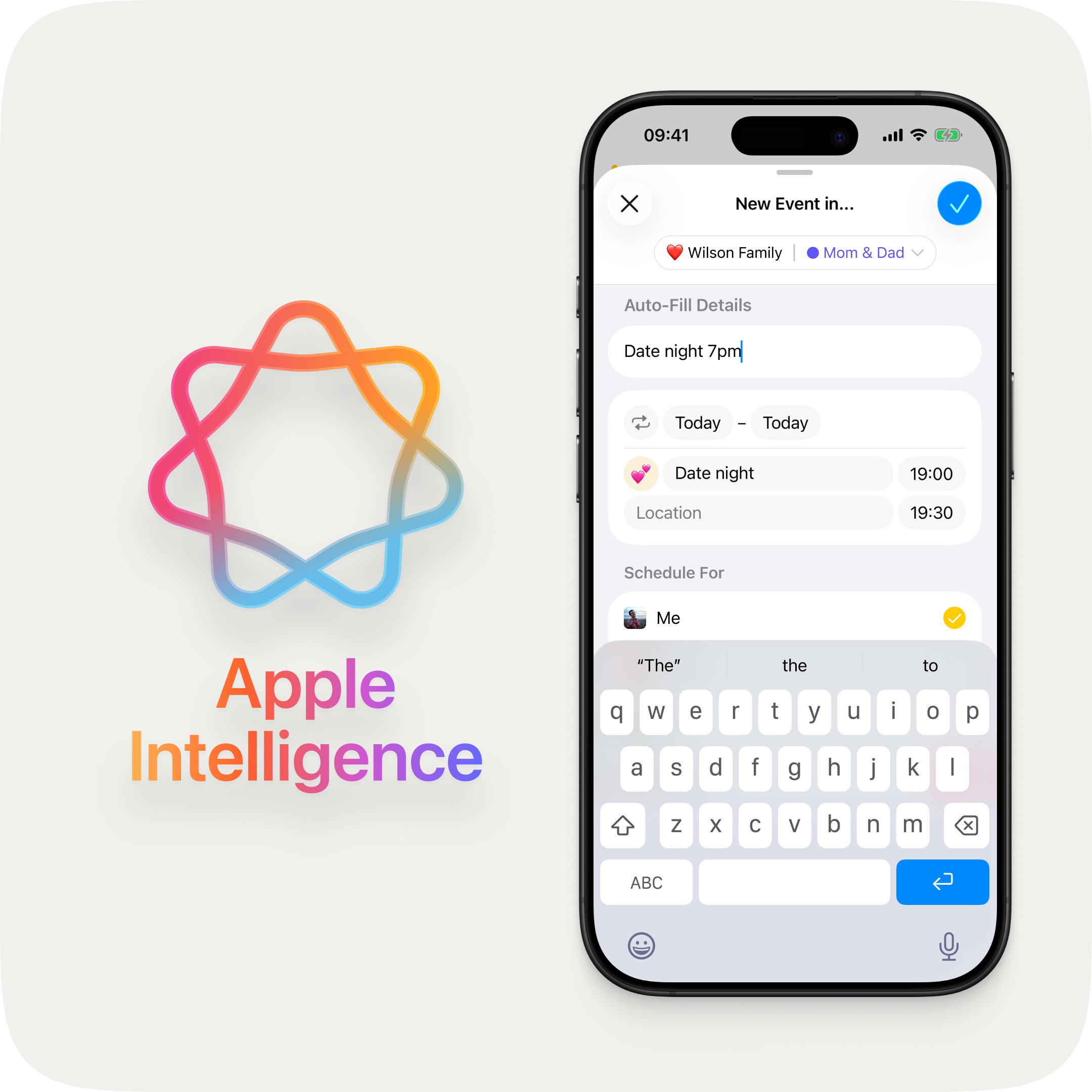
Type "Date night 7pm" and Apple Intelligence does the rest.
As you type an event title, OurCal suggests the perfect emoji using on-device Apple Intelligence.
Calendar overview mode
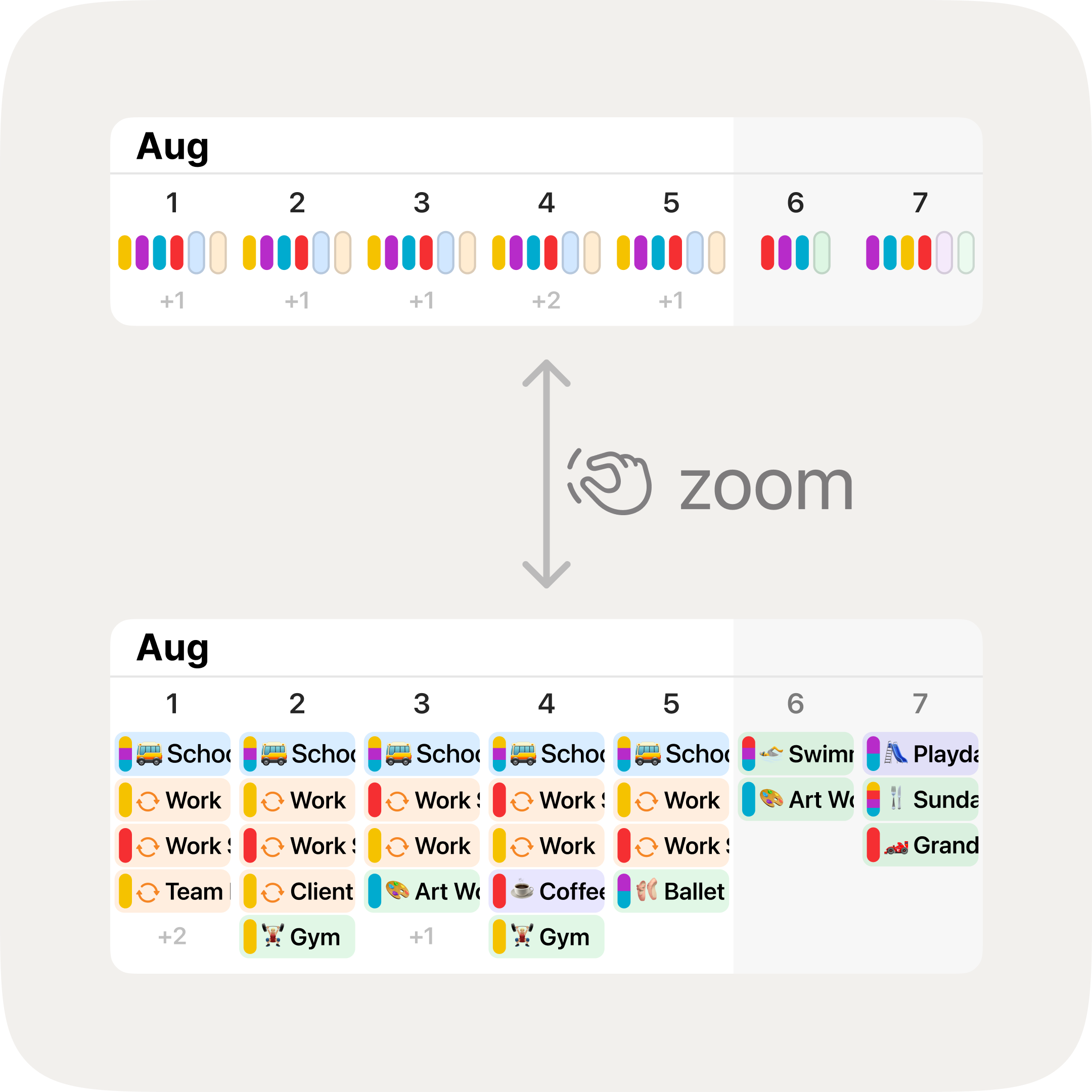
Pinch to zoom between detailed events and a colour-coded overview.
At the most compact zoom level, each day shows coloured pills summarising your calendars and who's busy at a glance. Pinch out to try it.
Time zone-aware locations
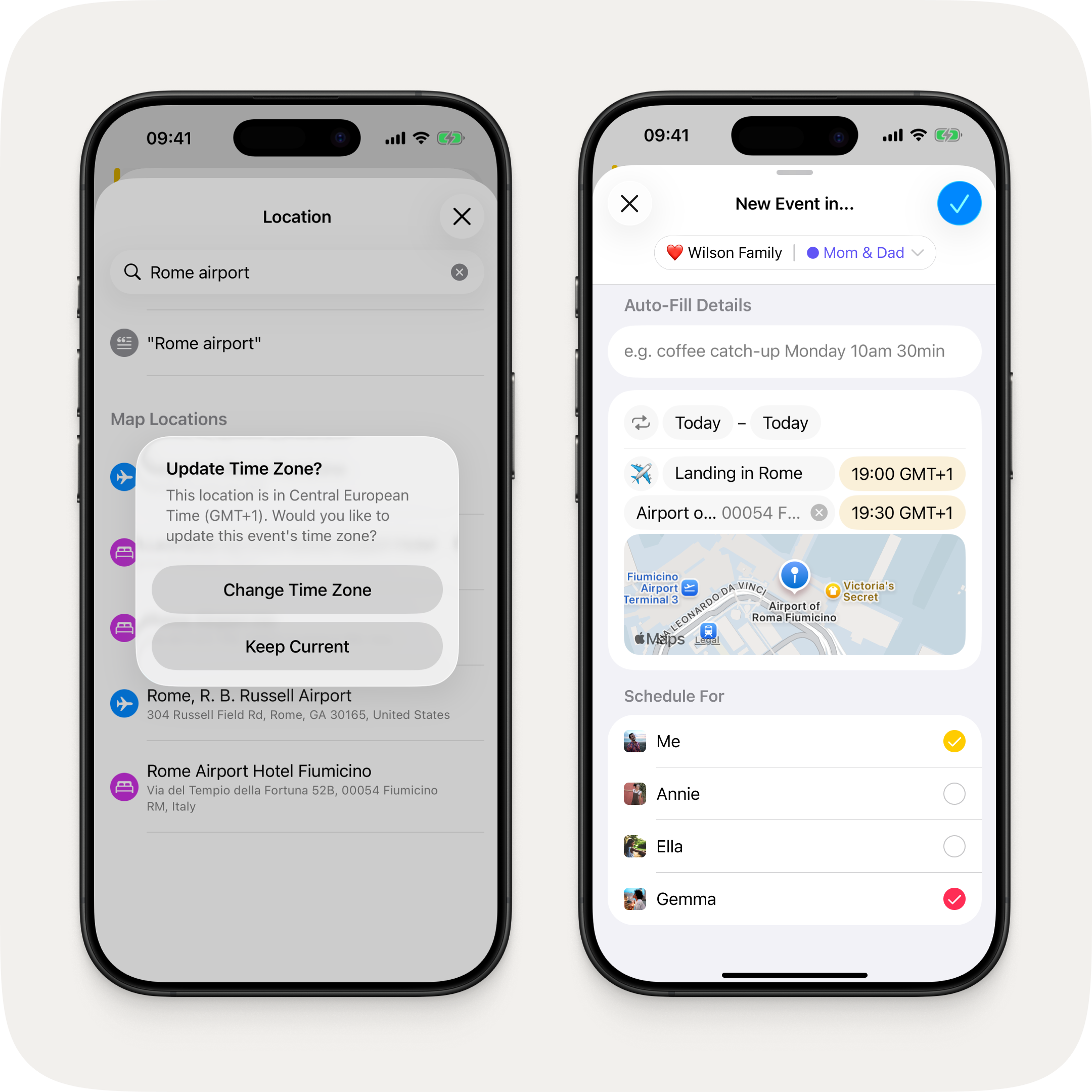
Pick a location abroad and OurCal offers to update the time zone to match.
Pick a location in a different time zone and OurCal offers to update the event to match.
Fixes & Improvements
Refreshed event creation flow with per-field highlight animations, a polished location picker with persistent search, and a "Select All / Deselect All" toggle in the member schedule section
Redesigned activity rows with larger group icons, inline delivery status, numbered unread badges, and quoted replies in channel view
Smarter external calendar sync broken into three clear steps: calendar selection, group selection, then member selection
Redesigned time zone picker with persistent search and auto-prefilled city name
Tapping a notification now opens the right place, whether the app was open or not
Sheets with pushed navigation can no longer be accidentally dismissed mid-flow
"Unselect All" renamed to "Deselect All" throughout the app
Fixed calendar scroll position resetting after opening a notification and navigating back
Fixed a search toolbar issue on iPadOS 26
Calendar permissions now update immediately after granting access
The welcome tour no longer appears before the app is fully set up
Fixed a performance issue on iPad that could cause the interface to stutter
Removed a broken swipe gesture from the day events view
Known Issues
We're aware of the following issues and are working quickly to resolve them:
Device name may not display correctly on the Synced Calendar Info screen
Group chat thread may disappear from the message feed if all messages are deleted
The all-new OurCal for iOS — completely redesigned.
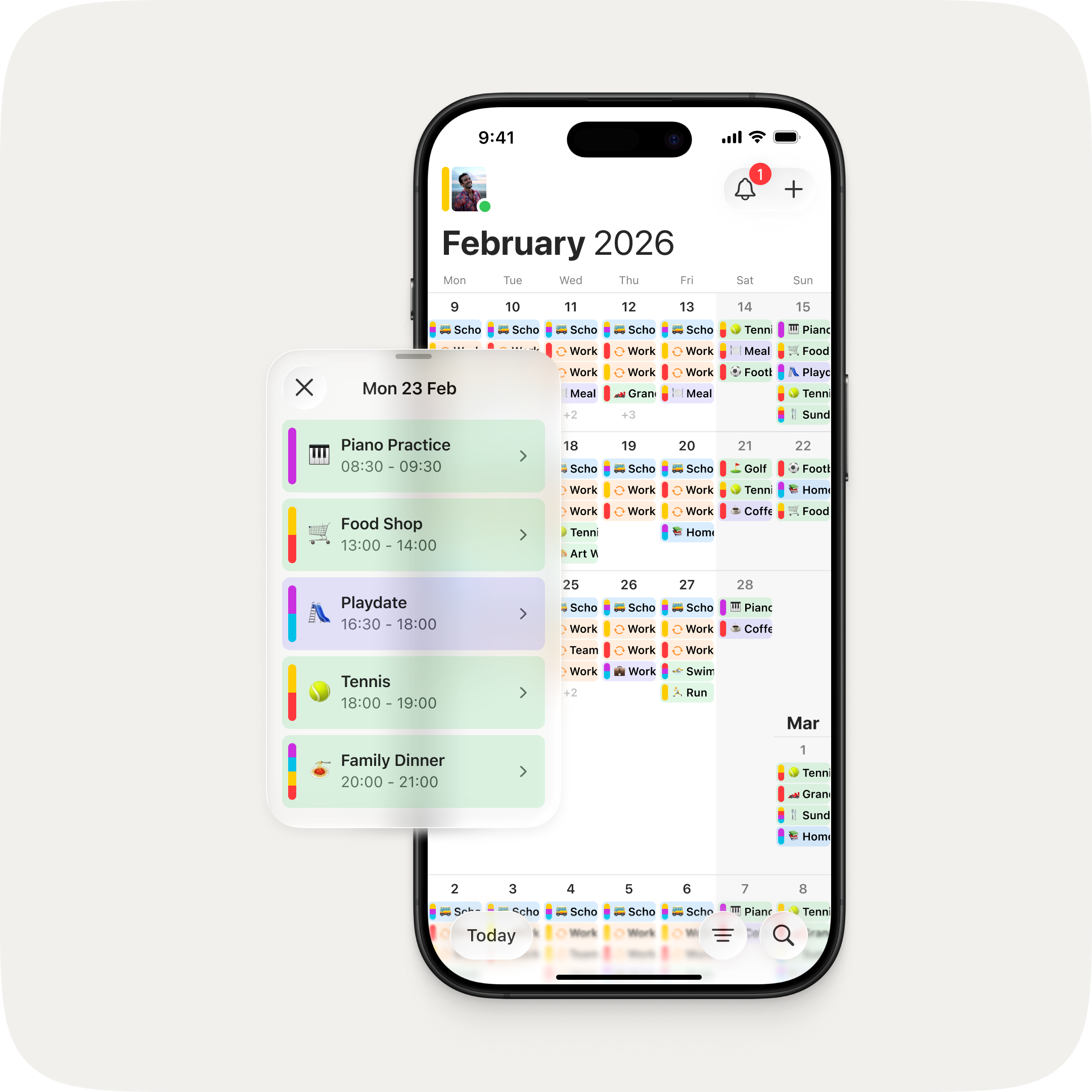
This is the biggest update to OurCal since we launched. We set ourselves a challenge: make OurCal even easier to use without losing any of its powerful functionality. The answer is an app that's been completely redesigned — with a unified calendar view, colour-coded events, powerful new filters, and a faster way to create events.
See your week your way. Pinch in or out on the calendar to smoothly adjust how many event rows are visible — from a clean, minimal two-row view to a richly detailed ten rows. Your preferred zoom level is remembered automatically.
Redesigned event details
Everything you need to know, right where you'd expect it. A new scrollable info strip puts the group, calendar, recurrence, timezone, and end-to-end encryption status front and centre. Duration now appears directly in the header, so you never have to do the maths.
Fixes
Fixed recurring all-day events (e.g. birthdays, holidays) appearing on the wrong day for some timezones
Chat messages now load correctly when opening a group chat or event thread from a push notification
Dates and times throughout the app now respect your region's format preferences, including date ordering and 12-hour vs. 24-hour clock. Event details show your current timezone offset (e.g. GMT−4, CET+1) when viewing an event in a different timezone.
The timezone picker now computes offsets based on the event's date, correctly reflecting daylight saving time
A "New" divider now marks where unread messages begin when opening a thread or channel
New events now default to the current group's emoji instead of "❤️"
Fixed a persistent unread badge caused by deleted event threads being included in the badge count
Fixed recurring events not syncing the start time when editing an existing event
Fixed recurring events generating overly specific recurrence rules when fields like day or month weren't explicitly set
Fixed the chat channel list getting stuck on a fresh login
Fixed tapping a notification opening a duplicate chat when the channel was already open
Fixed event chat threads taking longer than necessary to load
Fixed the paywall showing subscription products from the wrong group when upgrading
Fixed full-width list separators in Settings and group member views
Fixed group member list sometimes missing members whose profiles hadn't finished syncing
Known Issues
We're aware of the following issues and are working quickly to resolve them:
Editing a single instance of a repeating event may generate update notifications for all other instances
Calendar scroll position may reset after opening a notification and navigating back
Device name may not display correctly on the Synced Calendar Info screen
Message states (waiting, sent, delivered, seen by all) are not yet shown in group and event chats
Group may disappear from the message feed if all messages are deleted