Account Recovery now shows which device your recovery key is backed up on and when it was last checked, with numbered steps for what to do next. Cloud Backups lists each backup, and the quickest way back comes first.
Easier setup on another phone
A second phone on a different Apple ID no longer gets stuck at the restore screen. OurCal offers to bring your key across with your recovery phrase.
Fixes & Improvements
Log Out now waits until your recovery key has a backup, so you can’t lose your calendars
Android restores from the right Google account, shows Drive restore progress, and tells you when it’s offline
After a restore on iPhone and iPad, OurCal shows your next step instead of jumping to the calendar
Open it up. Your week and your conversation, side by side.
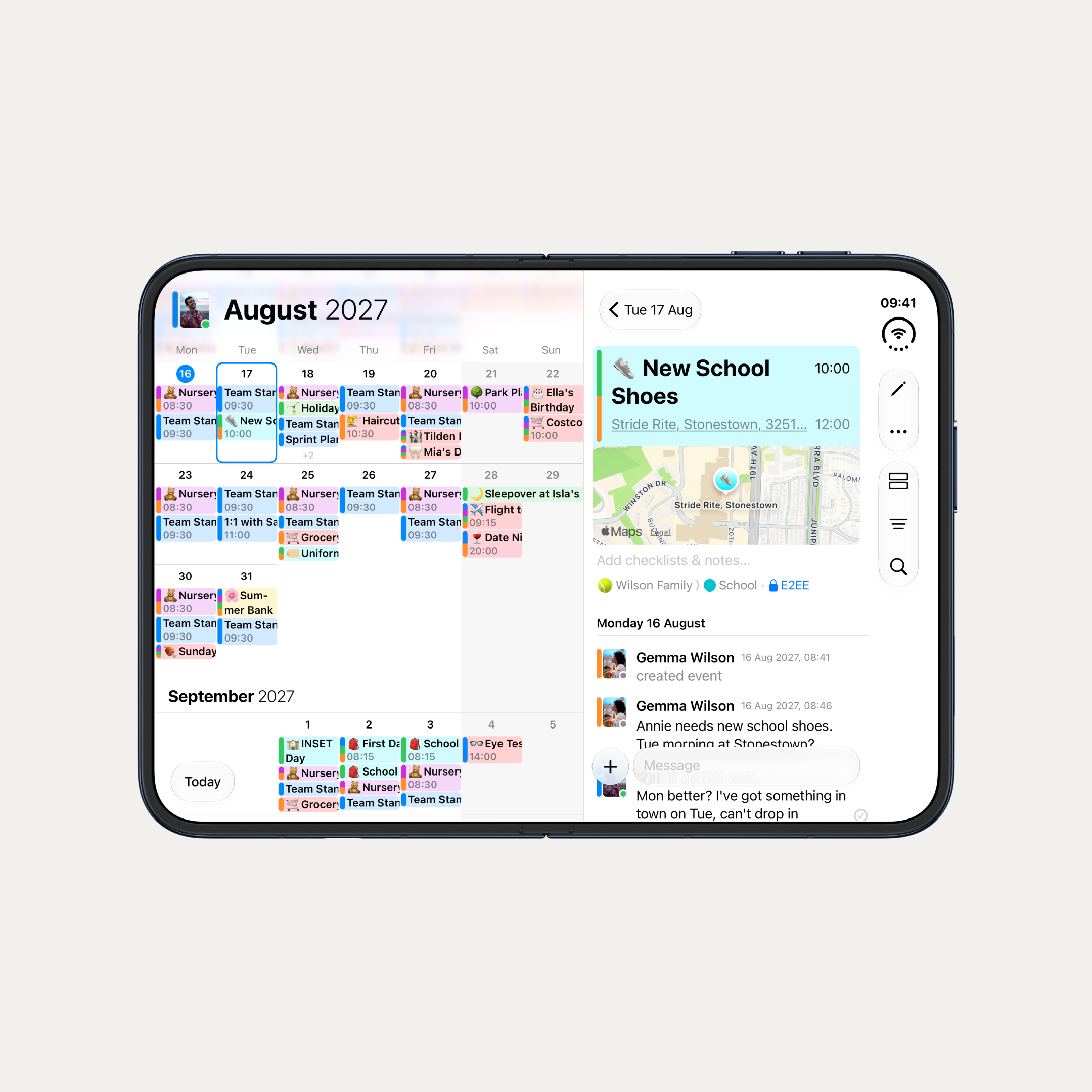
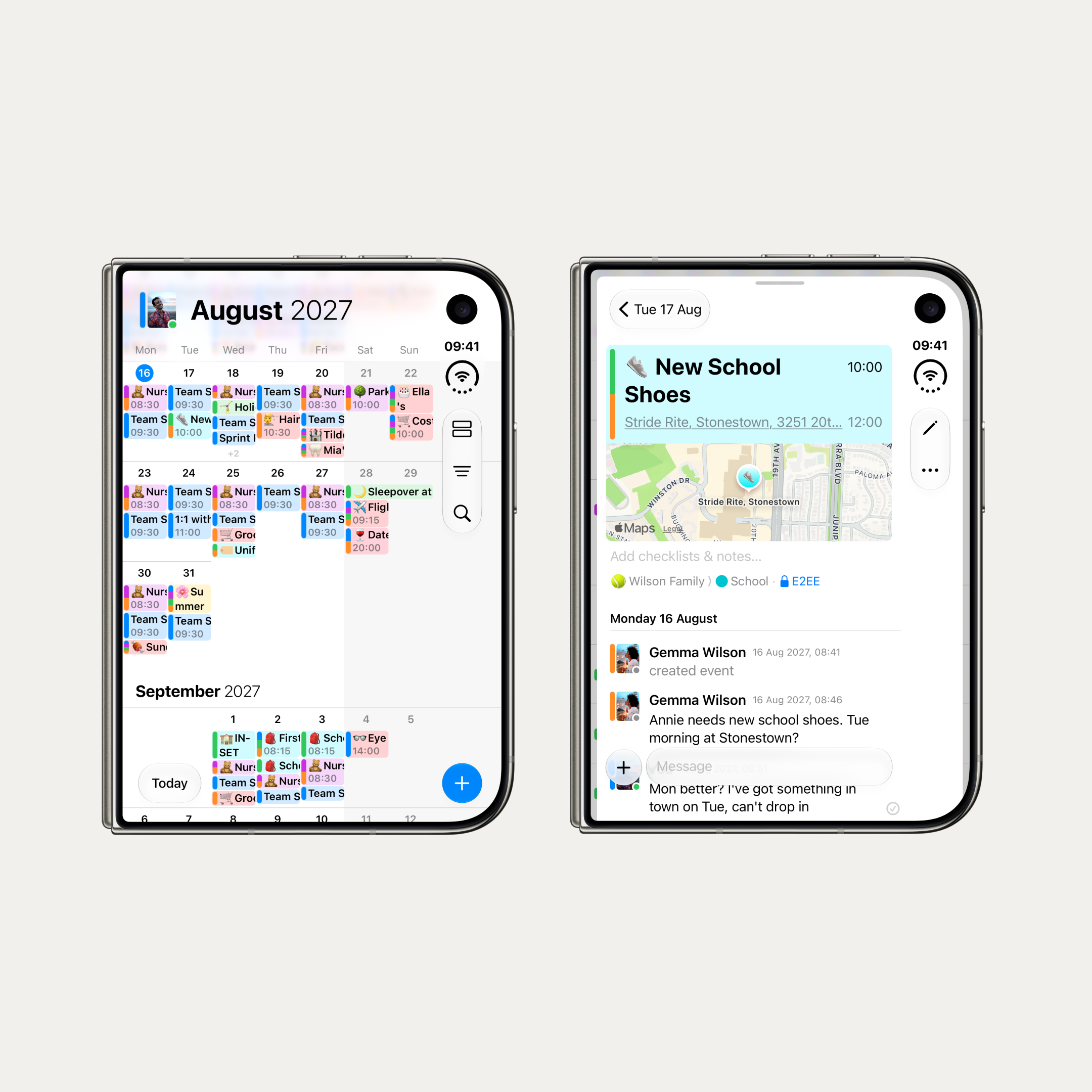
We've had early access to iPhone Duo, and OurCal is ready for it. Open it up and the selected day's agenda appears as a column beside the calendar, so you can see your week and your conversation at the same time. Content stays clear of the fold, and the agenda sheet follows how far the device is open.
Closed, it's a compact iPhone with everything OurCal does.
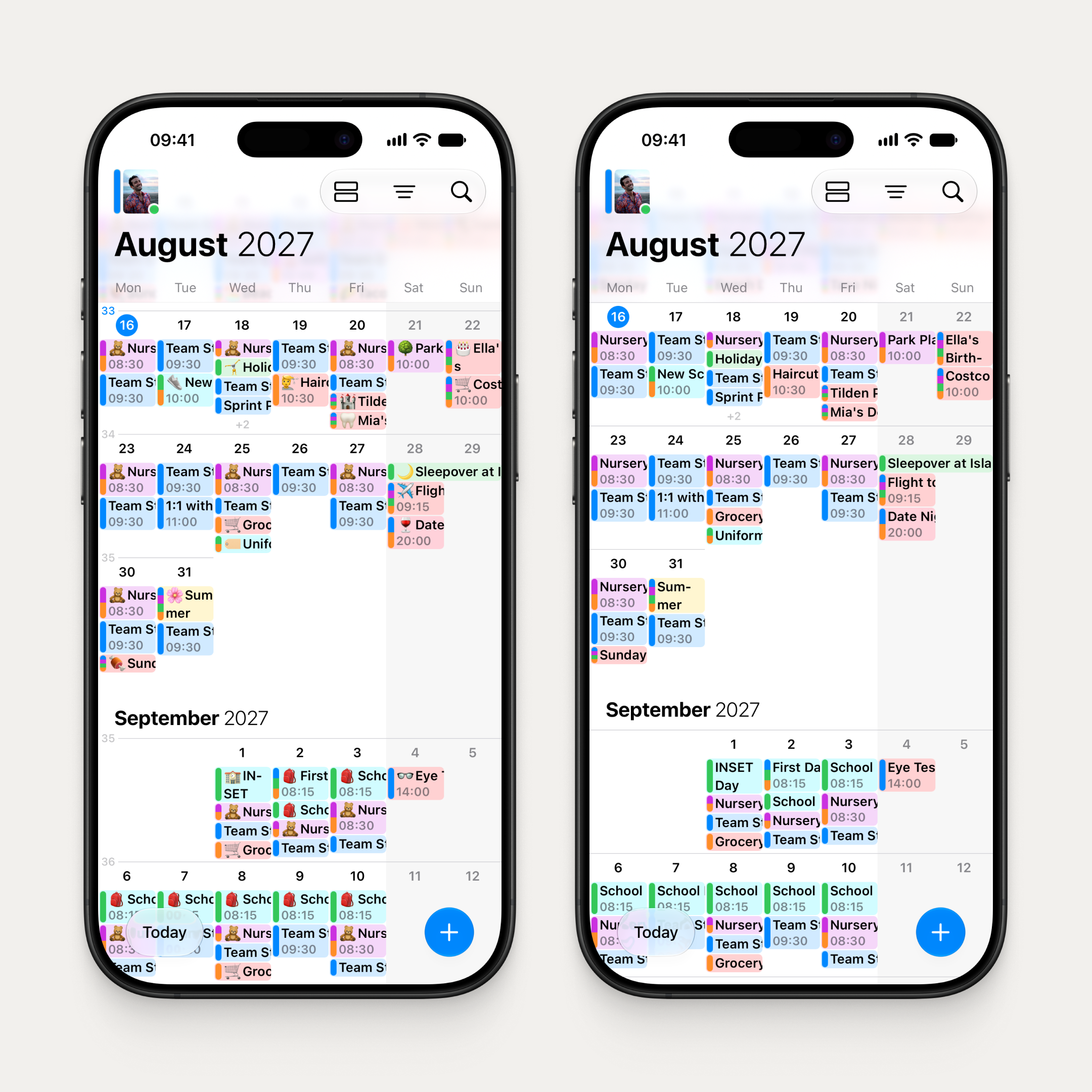
Closed, it's a compact iPhone with everything OurCal does. Every iPhone now works in landscape too. When there's room, the month title moves beside your avatar to show an extra week.
Redesigned for iPad
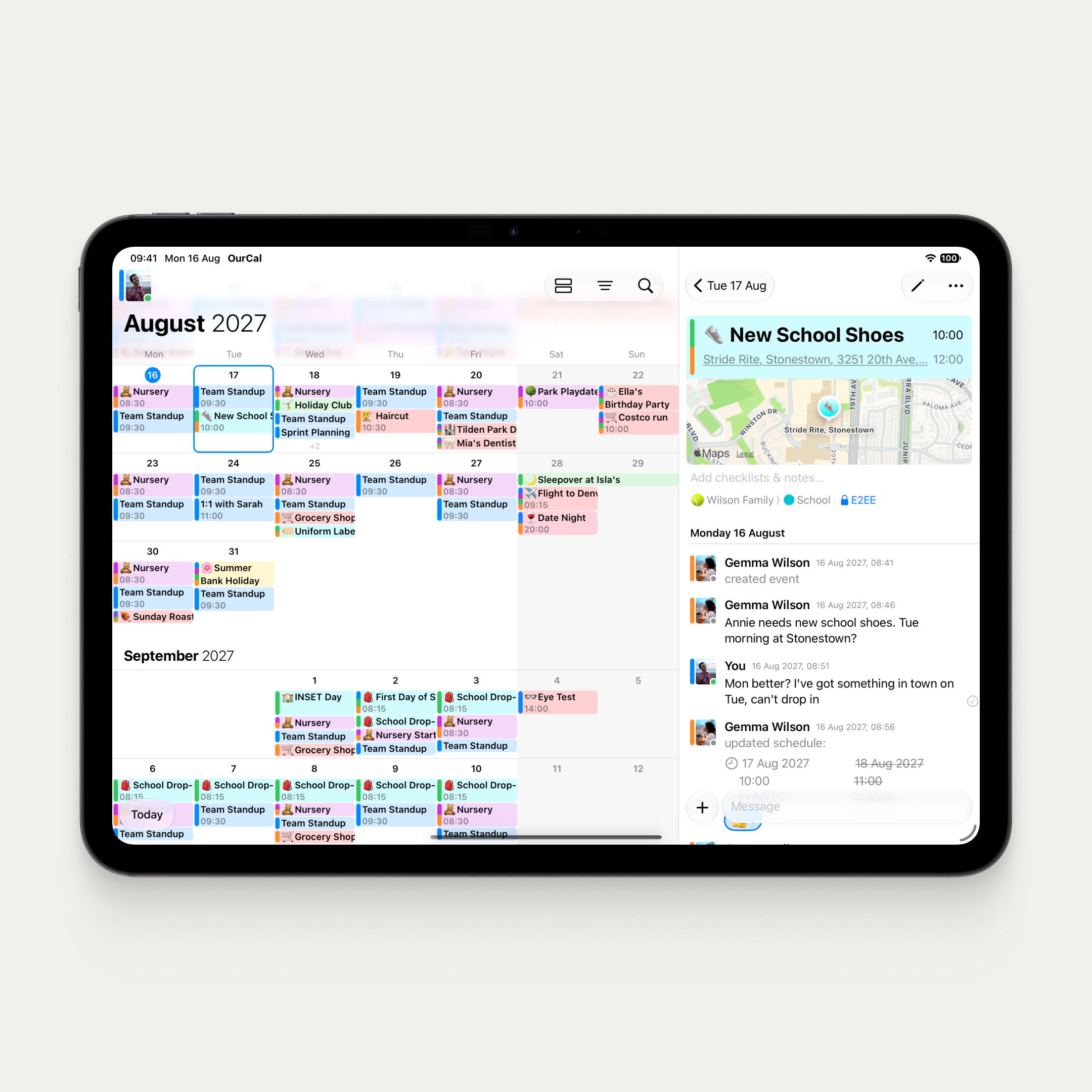
Redesigned for iPad. The same wide-screen layout, everywhere.
The iPhone Duo work drove a complete rethink of OurCal on wide screens, and iPad gets all of it. The agenda column sits beside the calendar, with view mode, filter, and search buttons alongside. The agenda sheet rests at half height, lined up with a week row. Search has a proper title and close button. And after a rotation, the calendar keeps the same top week with no wobble.
Week numbers and App Settings
Week numbers on. Emojis off. Your calendar, your call.
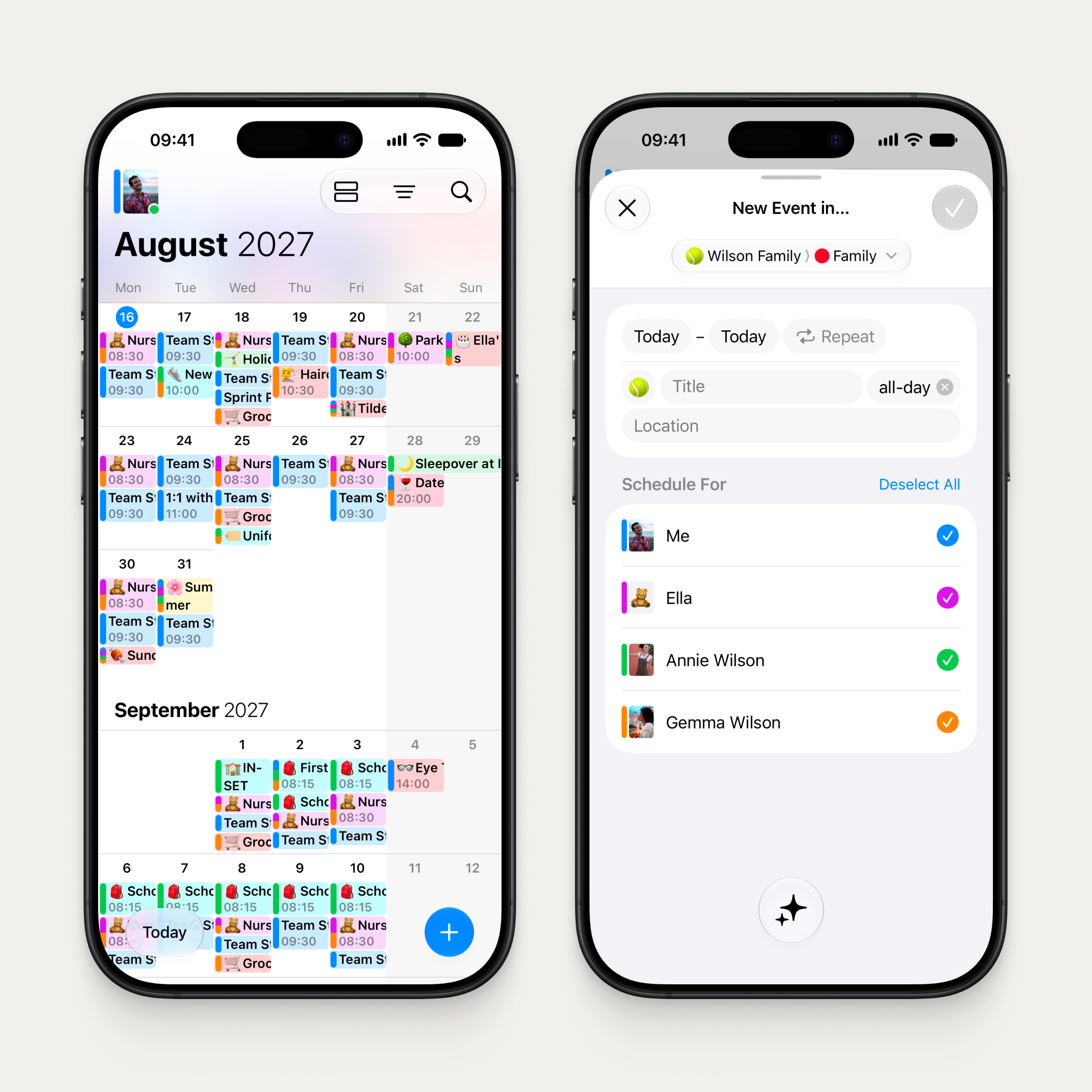
Each week row now shows its number in a narrow column at the left, with this week's tinted. On by default where your device calendar uses ISO weeks, which covers most of Europe.
Toggle it in the new App Settings screen, which replaces the App Version row. You'll also find a switch for event emojis, plus the app version and any available update.
Across iPhone, iPad, Mac, and Android.
Now on Android too
Settings reorganised into three sections, matching iOS: Group Settings, Your Settings, and More
Every synced calendar opens a details screen where you can change its colour and alerts, move it to this phone, or reconnect it to another calendar
Export Events now lives in Sync to Device, matching iOS
Invite links pasted inside a longer message now work
Redesigned invite paste sheet with a full-width Paste button
Android catches up. The Calendar Messenger comes to Android.
A brand-new icon on Android
The new OurCal icon: a calendar fused with a chat bubble.
OurCal has always been a calendar messenger. Now the icon says so on Android too. A calendar fused with a chat bubble, because the problem with sharing calendars isn't productivity, it's communication. That's why we built OurCal.
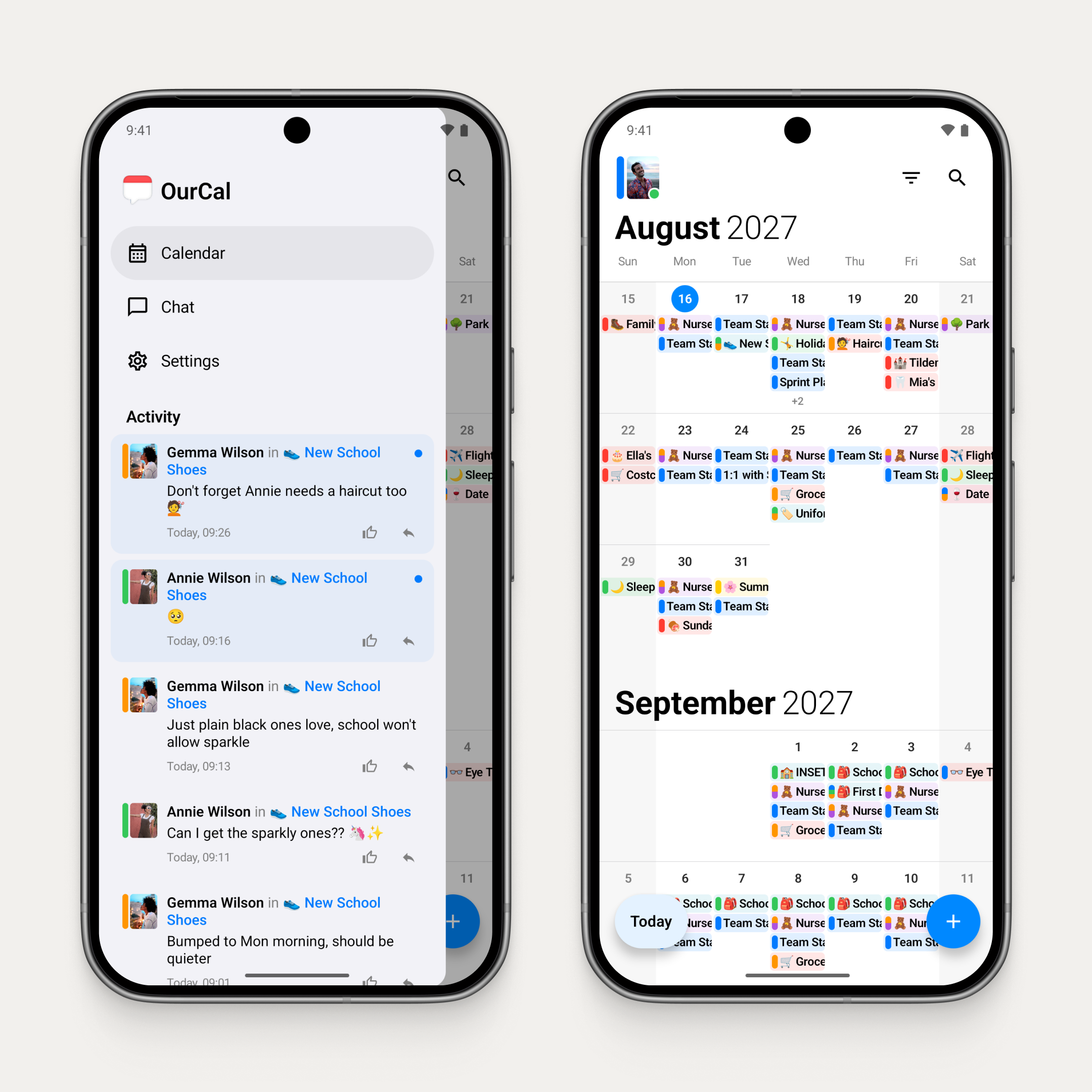
The new drawer on Android
The drawer brings navigation and group activity together.
Navigation and group activity, together in one place. Switch between the calendar, group chats, and settings, and see every update across your groups in a single Activity feed.
Tap your avatar or swipe from the left edge to reveal it.
The Activity feed shows every group's events and messages together: who said what, which events changed, and what's new, all in one stream. Tap to open any event or jump straight into a conversation.
New to OurCal? A setup checklist at the top of the drawer guides you through turning on notifications, sharing your first event, and getting your group started.
Events now always open inside the calendar, so you can see exactly how they sit alongside everything else.
Faster chat on Android
Conversations now open instantly, even before you're connected. No loading spinners, no waiting. Just your messages, right there.
Group chat is cleaner too: event creation messages and replies now live in the event's own thread, and unread badges only count what matters.
Invite by QR code on Android
Share an invite as a QR code that someone nearby can scan. And tapping an invite link while signed in now joins straight away, no extra tap needed.
Fixes & Improvements on Android
Broken invite links now show "Invalid Link" instead of nothing
Welcome screen captions are bigger and bolder, and the picture carousel is full width
Fixed the oldest messages dropping off as new ones arrive
Fixed a thread with many replies losing its event card
Fixed a failed load of older messages retrying over and over
Location and Repeat sheets now stop just below the status bar, like the other sheets
Fixes & Improvements on Android and iOS
Clearer invite failure messages, with the same words on Android and iOS
Welcome checks the clipboard for an invite link only once, on first launch
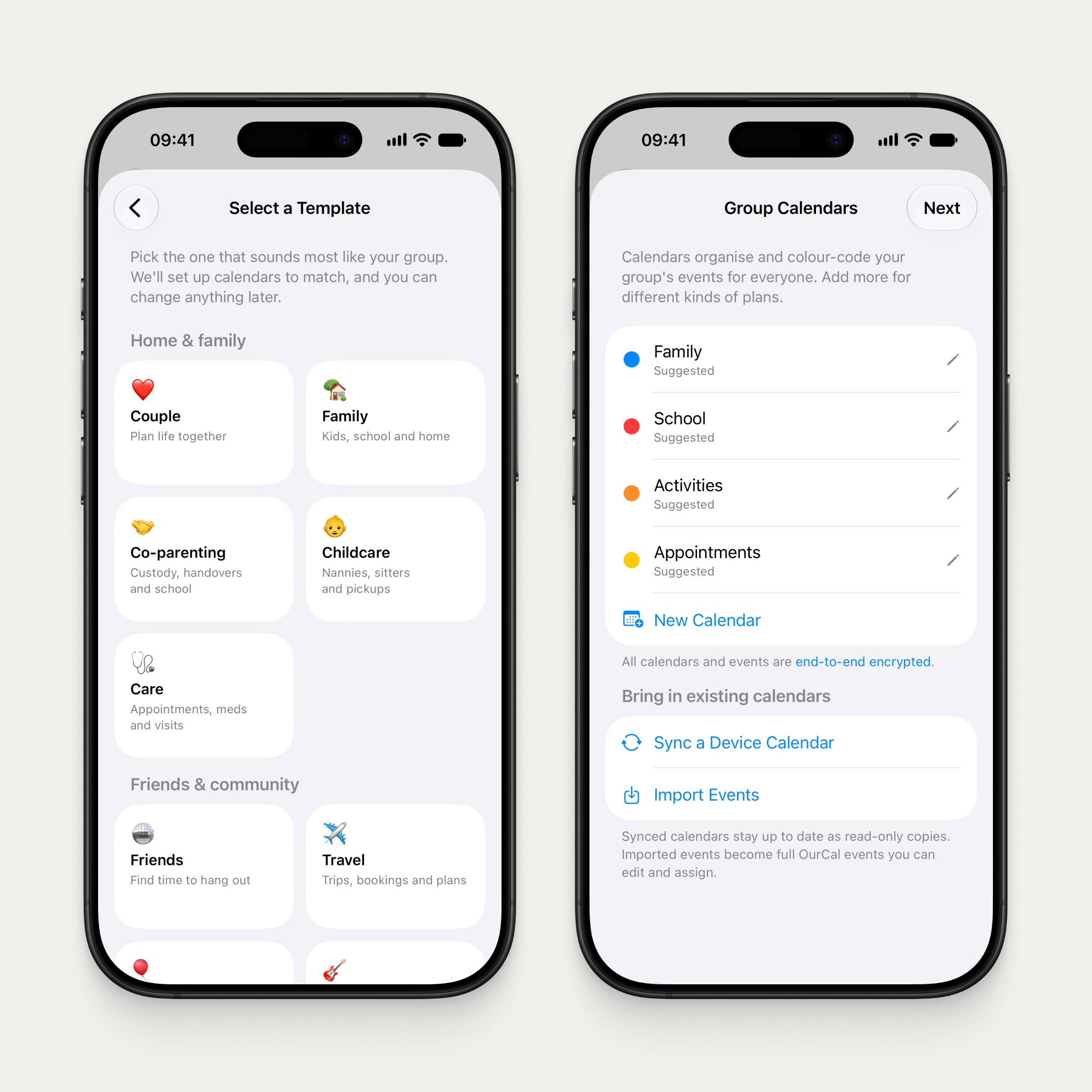
Pick a template and OurCal sets up your group's calendars to match.
Creating a group now starts with a template: Couple, Family, Co-parenting, Friends, Travel, Work, and more. Pick the one that sounds like your group and OurCal suggests a name and sets up matching calendars — rename or recolour any of them with a tap.
A guided setup follows: review your calendars, add profiles for people who won't use the app (kids, grandparents, pets), and share your invite link. If anything interrupts you, the app picks up right where you left off.
Import events from your device
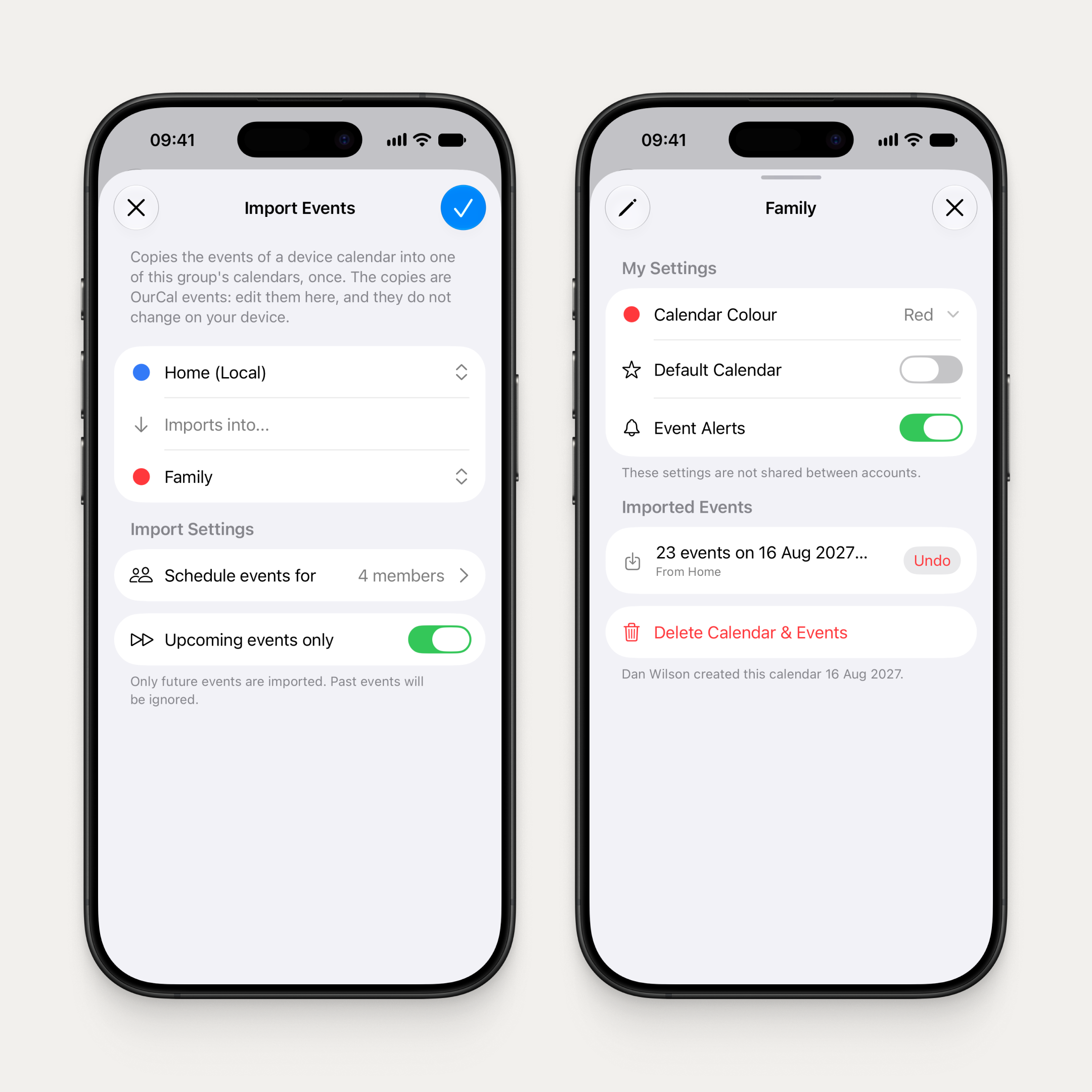
Import a device calendar's events into a group calendar, and undo it any time.
Copy the events from any device calendar into one of your group's calendars, once. The copies become OurCal events: edit them here, and they won't change on your device. Choose to import only upcoming events or everything up to 3 months back.
Each calendar's info screen shows its imports, so you can see exactly what came from where. Changed your mind? Undo removes every event the import added, including any you've edited since.
Setup checklist
The setup checklist ticks off the essentials as you go.
New to OurCal? A checklist now guides you through the essentials: create your first event, share it with your group, and turn on notifications. Watch it tick off as you go.
Clearer everywhere
We've rewritten copy across the app to make OurCal easier to understand at every step.
Welcome screen is simplified to two choices: "I'm new to OurCal" and "I already have an account"
Settings is reorganised into three clear sections, with group rows showing each group's emoji and name
Every Settings screen now has a short explainer at the top so you always know what it does
Sync wizards are now "Sync to Group" and "Sync to Device", so the direction is clear
Discard confirmations now protect your work across every create and edit sheet
Clearer free trial
The Subscriptions screen now shows trial groups in their own Free Trial section — no red warnings while nothing is wrong — and the paywall says what it means: subscribe early if you like, and nothing is charged unless a member subscribes.
Better event chat notifications
A message in an event's chat now shows the sender, the event, and the message — no more “replied in”.
Fixes & Improvements
Group chat updates read more naturally
With several groups, each chat in the menu shows its group's name
Clearer subscription messaging when starting another group
Sign-in error messages are shorter and more helpful
OurCal has always been a calendar messenger. Now the icon says so.
OurCal has always been a calendar messenger. Now the icon says so. A calendar fused with a chat bubble, because the problem with sharing calendars isn't productivity, it's communication. That's why we built OurCal.
The new drawer and sidebar
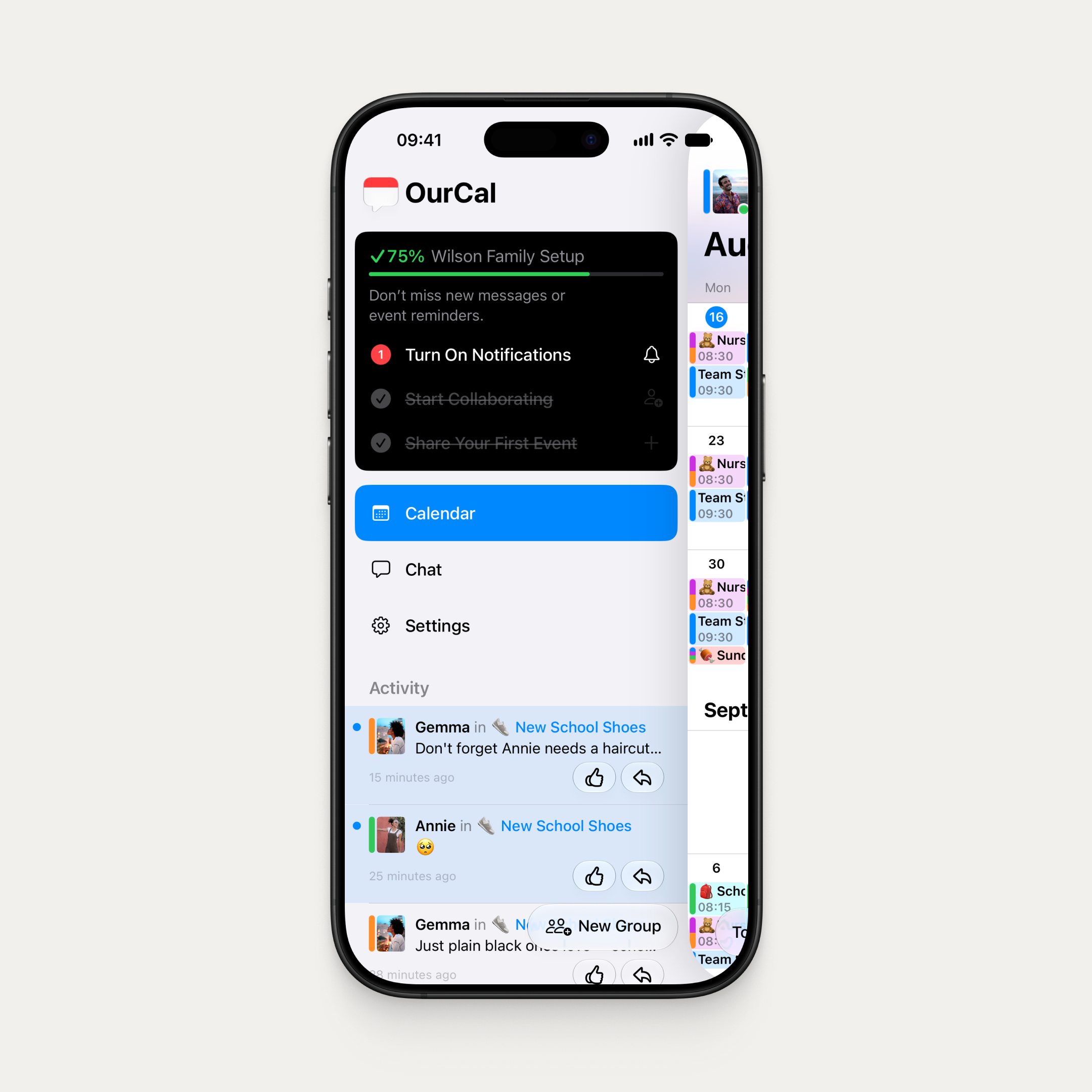
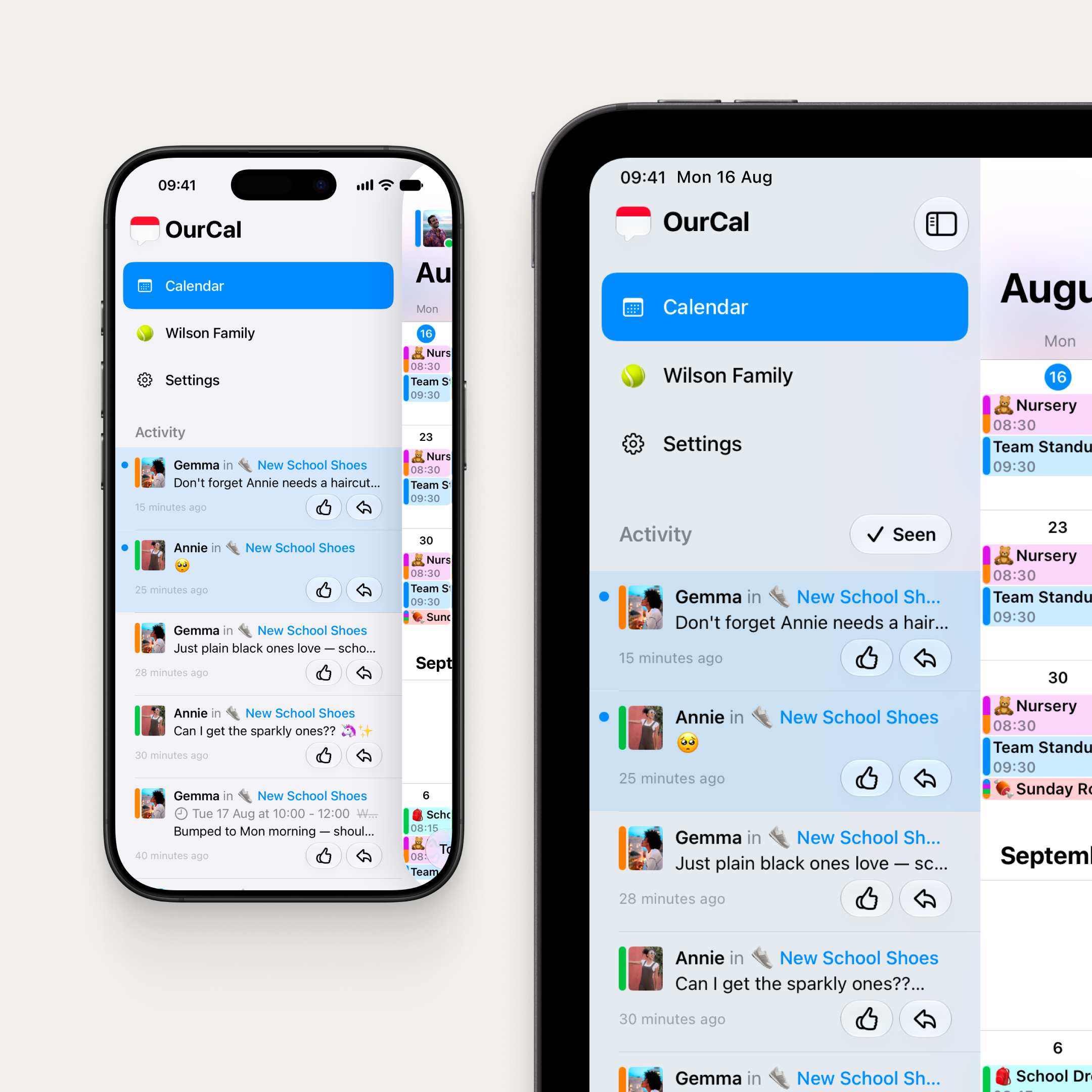
A drawer on iPhone, a sidebar on iPad and Vision Pro. Navigation and group activity in one place.
Navigation and group activity, together in one place. Switch between the calendar, group chats, and settings, and see every update across your groups in a single Activity feed.
On iPhone, it's a drawer behind the calendar. Swipe from anywhere to reveal it. On iPad and Vision Pro, it's a sidebar that sits beside the calendar, with a toggle to show and hide it and a "Seen" button to mark everything as read when you're ready. The sidebar stays open when you tap into an event or switch tabs, so you never lose your place.
The Activity feed shows every group's events and messages together: who said what, which events changed, and what's new, all in one stream. Tap to open any event or jump straight into a conversation.
Events now always open inside the calendar, so you can see exactly how they sit alongside everything else.
Mac keeps its own navigation.
OurCal meets Siri AI
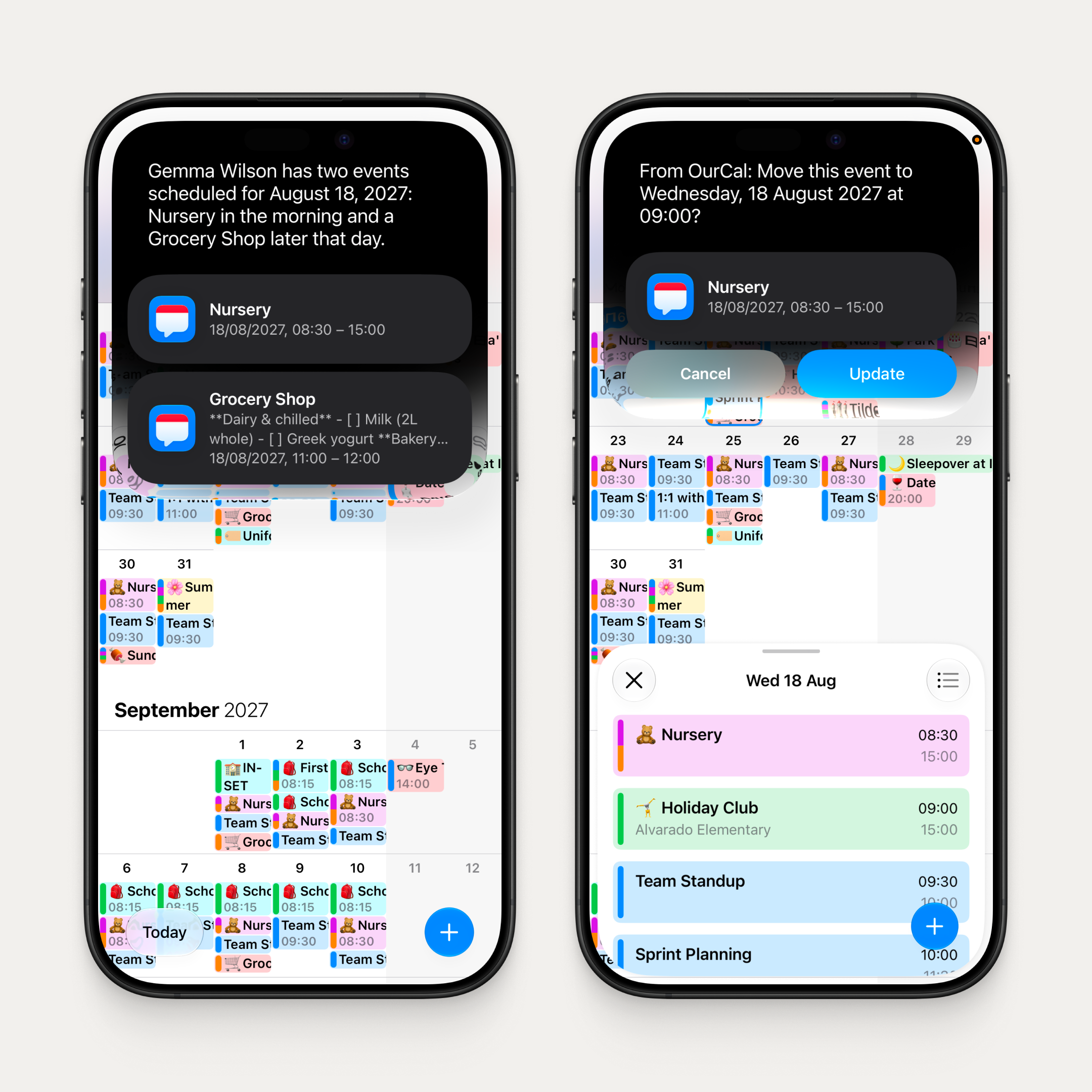
Ask Siri AI about your day, or look at an event and say "move this."
Just ask. "Create a dentist appointment for Annie next Thursday at 3." Siri AI creates the event, picks the right calendar, adds the attendees, and even suggests an emoji. Want to know what's coming up? "What's on my calendar this weekend?" Siri AI knows your OurCal events, just like it knows everything else on your device.
And it's on-screen aware. Looking at an event? Just say "cancel this" or "change the emoji." No need to name it.
Form Assistant
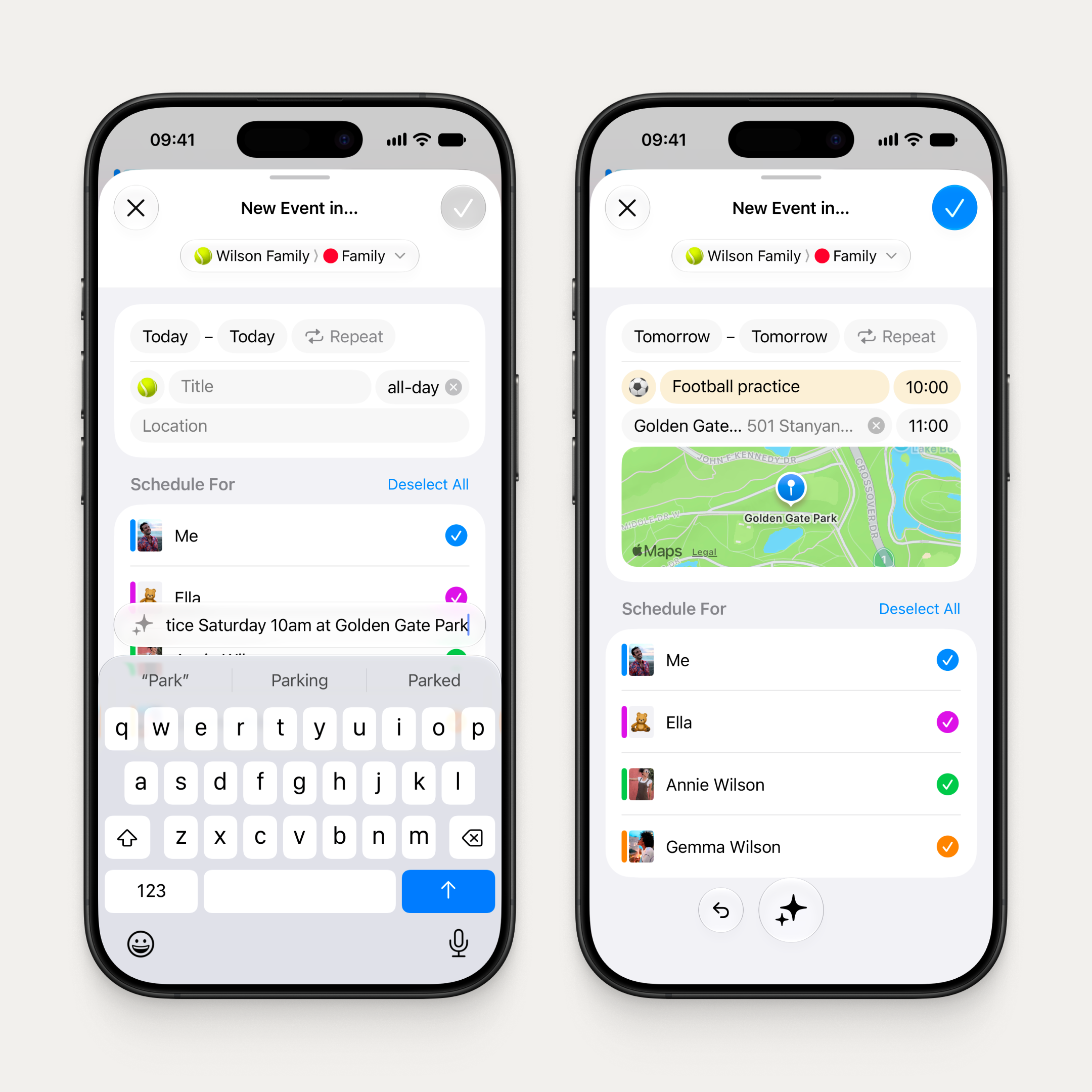
Type it once. The form fills itself in.
Type "Football practice Saturday 10am at Golden Gate Park" and the event form fills itself in. Or point your camera at a poster, a flyer, or a screenshot, and watch the details appear. Follow up with "make it weekly" or "add Gemma" and it refines. It's a conversation, not a single command. All on device, nothing leaves your phone.
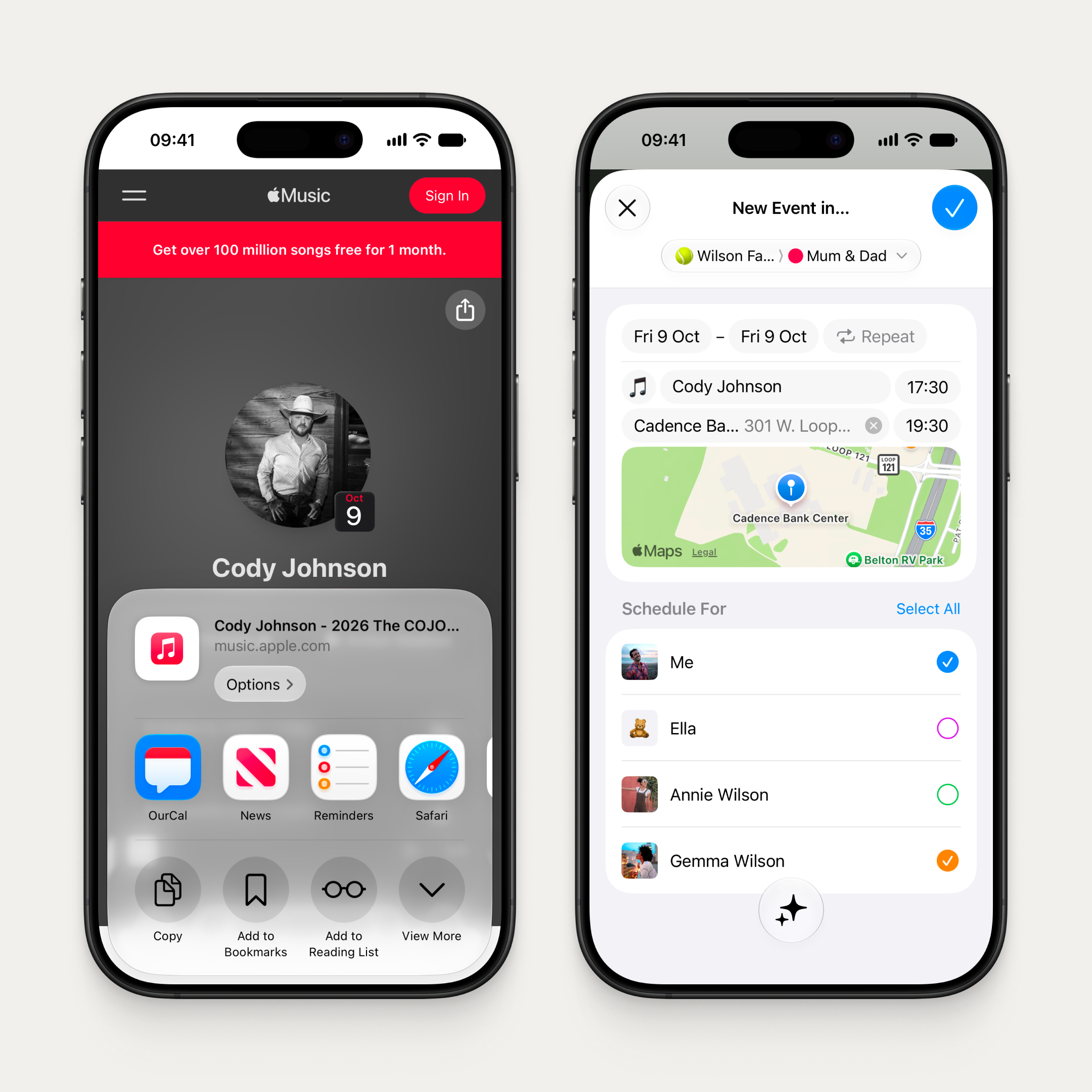
Works in both New Event and Edit Event. And it reaches beyond the app: a new share extension lets you share text, a webpage, or a photo from any app, and the Form Assistant understands its meaning and pre-fills the New Event form right there in the extension. Tailor the details and create the event without ever leaving the app you're in.
Share a concert from Apple Music. The Form Assistant makes it an event. Never leave the app.
Faster chat, everywhere
Conversations now open instantly, even before you're connected. No loading spinners, no waiting. Just your messages, right there.
Liquid Glass
Day one of iOS 26. Day one of OS 27. Liquid Glass, refined.
OurCal adopted Liquid Glass on day one of iOS 26. Now we ship day one again with the refined Liquid Glass of OS 27, across iOS, iPadOS, macOS, and visionOS.
Fixes & Improvements
Event reminders now show the event's avatar alongside the title, members, and time
The Up Next widget supports the new extra-large size on OS 27
Fixed some messages not appearing when their event details couldn't load